This page is a translation of the Japanese page. Inquiries and support are handled in Japanese. The admin console is available in Japanese only; the employee app supports 日本語, English, Tiếng Việt, 中文(简体), 中文(繁體), 한국어 and नेपाली.
For IT and creative companies
From tasks to invoicing, in one place.
Organize issues, acceptance, work hours and gross profit by project.
Ideal forContract development, SES, web production and video production companies
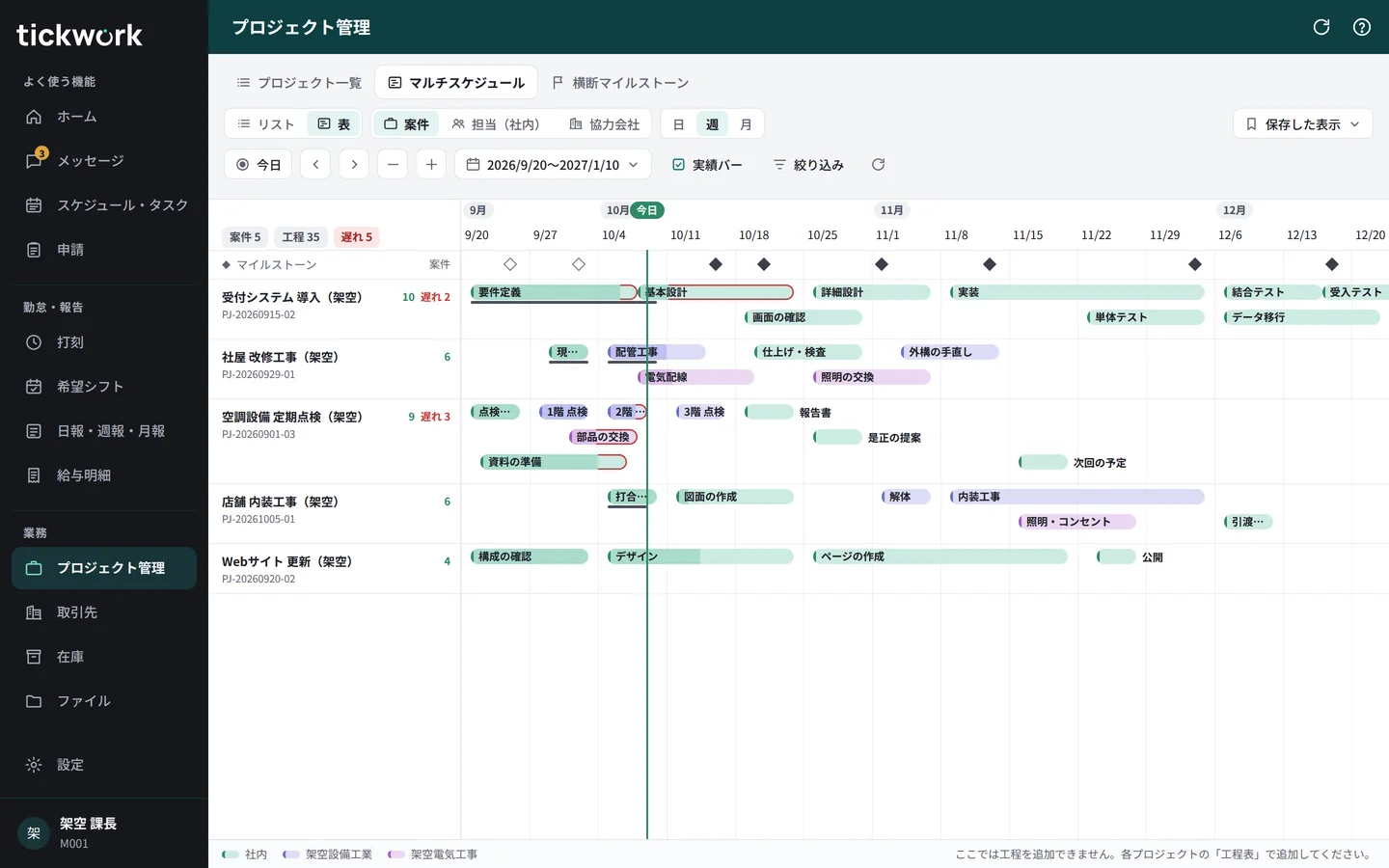
Note: Screens are for illustration purposes only (the data shown is fictional).
Eliminating effort and oversights in IT and creative work
-
01Now
Separate services for tasks, chat, attendance and invoicing
With TickworkHandles schedules, issues, chat, attendance and invoicing in one app.
Schedules and issues: detailed description -
02Now
Revision requests get buried in chat and go unhandled
With TickworkManage with issues that have assignees and deadlines, and record acceptance and proof rounds.
Issues, inspections and delivery: detailed description -
03Now
SES settlement ranges (upper/lower or midpoint split) are calculated by hand
With TickworkSet settlement ranges in the IT pack and create timesheet reports.
IT pack: detailed description -
04Now
Profit by project is not known until month-end
With TickworkCheck estimated sales, costs and gross profit, even mid-month.
Quotations, sales orders and profit and loss: detailed description
A day at an IT and creative company (example)
-
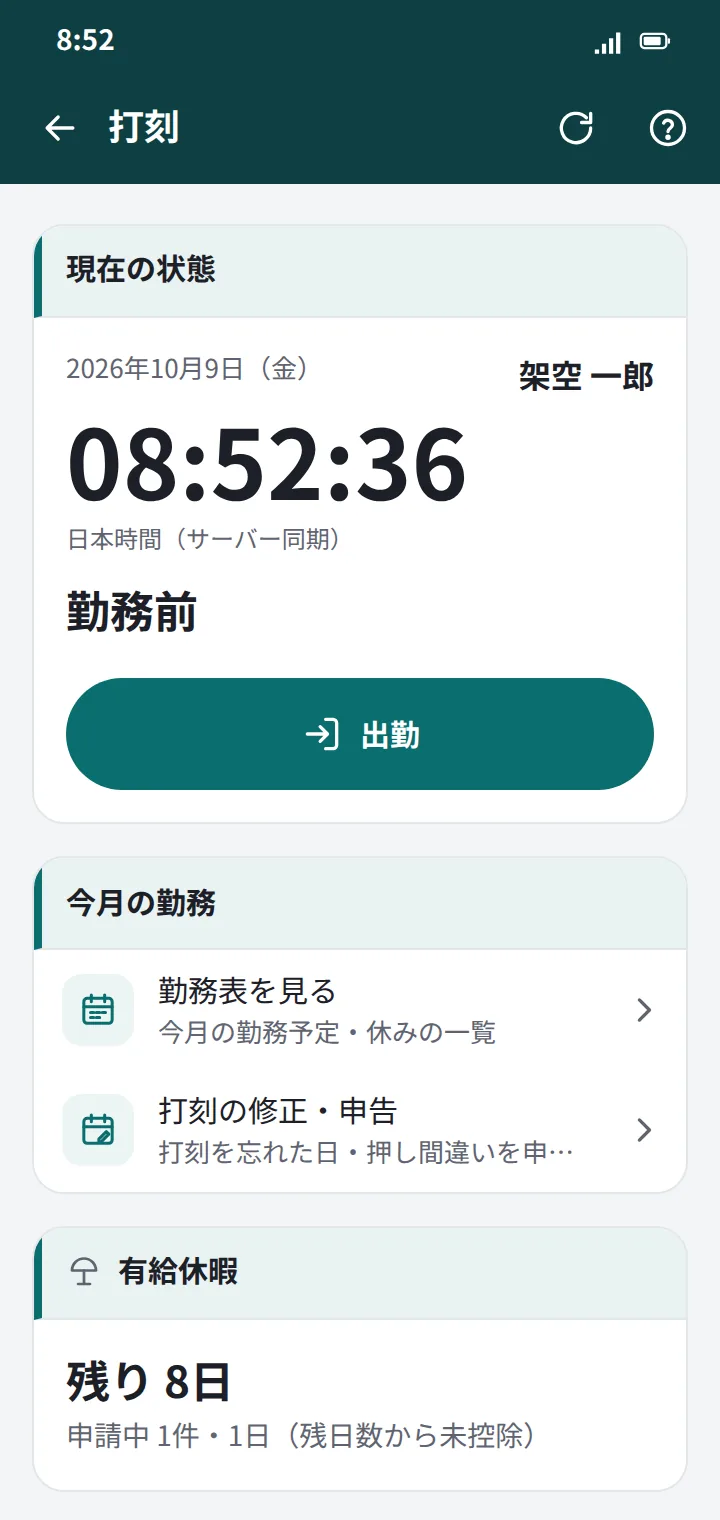
MorningTeam members
Clock in on smartphones even on remote work days.
-
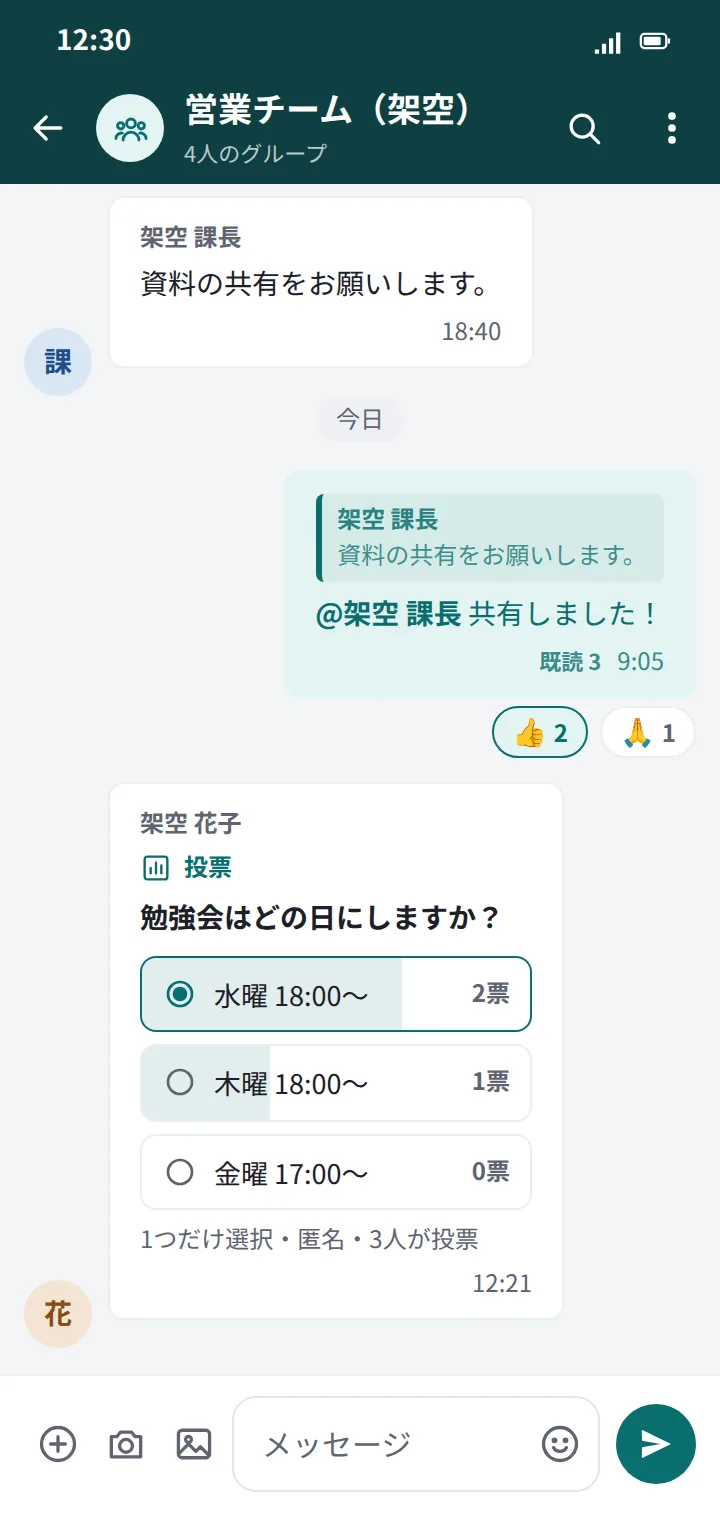
DaytimeDevelopment team
Work through issues and chat, and use group voice calls for urgent matters.
-
WeeklyProject manager
Review delays across all projects.
-
Month-endAccounting
Check gross profit, then approve and send invoices.
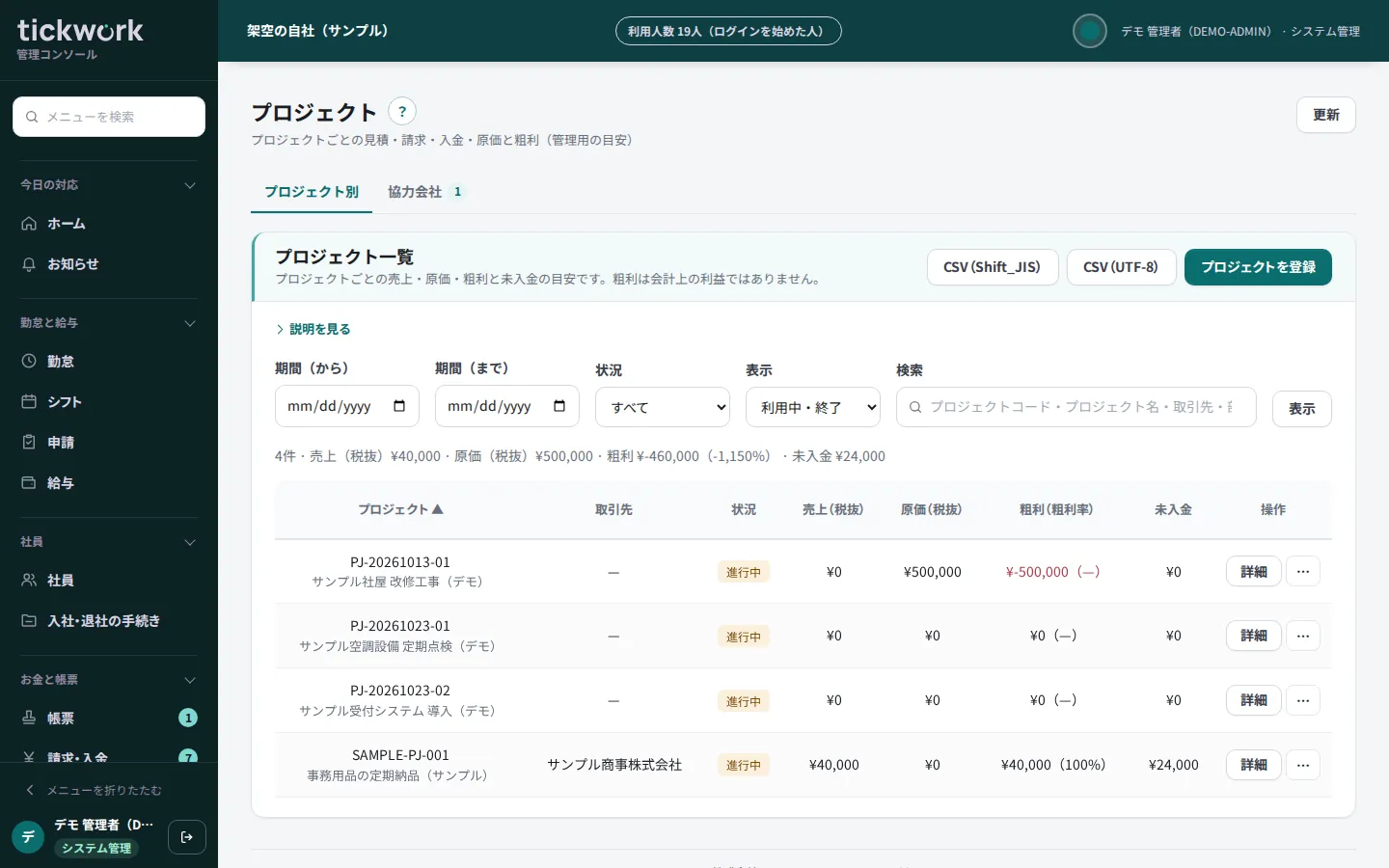
Note: Screens are for illustration purposes only (the data shown is fictional).
Combine common features
For two or more modules,
- Schedules, milestones and templates
- Issues, user acceptance tests and acceptance
- IT pack (acceptance, settlement ranges and work hours)
- Creative pack (proof rounds and pin comments)
- Chat and group voice calls
- Inviting external members
- Quotations, invoices and gross profit
- Clock-in on smartphones and remote work requests
Industry-specific initial settings Choosing an industry fills in default values for features, business documents and work rules. About industry-specific initial settings
Pricing guide
Example: 15 employees plus 5 invited external members, for a total of 20 users
Billable users are the total of registered employees (regardless of employment type, including those not yet logged in) and invited partner company members. Billable users
Frequently asked questions
Can external engineers and freelancers use it too?
Yes. When invited as partner company members, they can use the schedules, issues and chat of the projects they participate in. Invited people are counted as billable users of your company.
Can customers use the screens too?
Request acceptance from customers via the acceptance page of the IT pack. Customers can also comment on screenshots.
Note: The IT and creative packs are available when set to Use under Settings → Projects → Industry feature packs (設定 → プロジェクト → 業種別の機能パック) in the admin console (no additional charge). Please also see the usage example for an IT and creative company (fictional company).
Please feel free to
We will ask about your number of users and the features you need, and advise you on how to proceed with implementation.
- Free 30-day trial
- No card required
If you would like to review materials first, please request materials (we will send a PDF by email).