This page is a translation of the Japanese page. Inquiries and support are handled in Japanese. The admin console is available in Japanese only; the employee app supports 日本語, English, Tiếng Việt, 中文(简体), 中文(繁體), 한국어 and नेपाली.
For wholesale and trading companies
From fax orders to an ordering site.
Take orders at customer-specific prices, through to shipping, invoicing and payment.
Ideal forWholesalers and trading companies that take orders by phone and fax
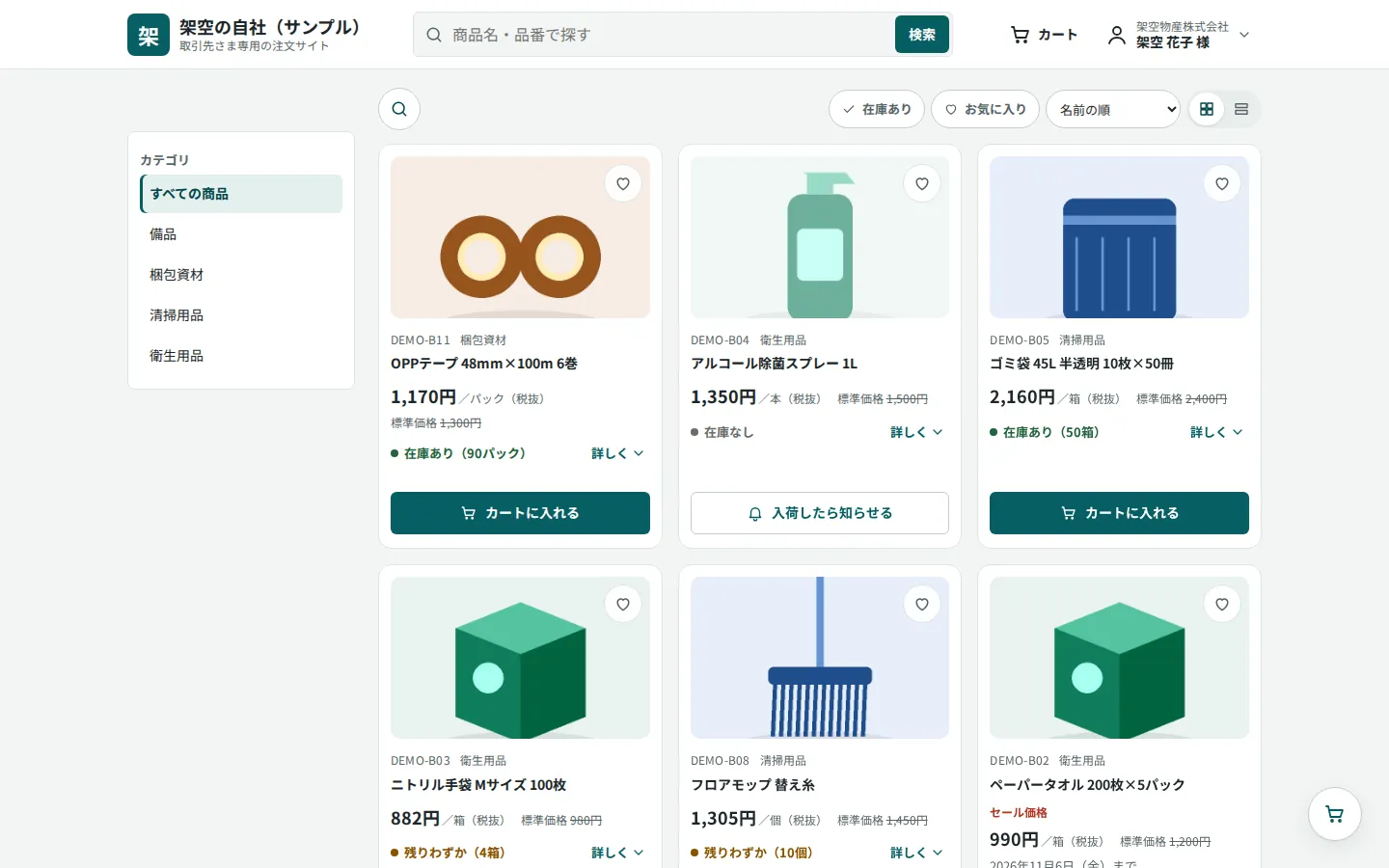
Note: Screens are for illustration purposes only (the data shown is fictional).
Eliminating effort and oversights in wholesale and trading
-
01Now
Fax and phone orders are entered by hand, causing errors
With TickworkCustomers order directly from a dedicated ordering site.
Customer ordering site: detailed description -
02Now
Only the person in charge knows each customer's prices
With TickworkRegister discount rates, special prices and sale prices for each customer.
Customer-specific prices: detailed description -
03Now
There are many calls asking about order status
With TickworkOrder progress and tracking numbers appear on the customer's screen.
Sales orders and shipping: detailed description -
04Now
Preparing invoices on the closing date and confirming payments takes a full day
With TickworkInvoices are drafted the day after the closing date, and payments are matched by importing statements.
Consolidated invoicing and payment matching: detailed description
A day at a wholesale and trading company (example)
-
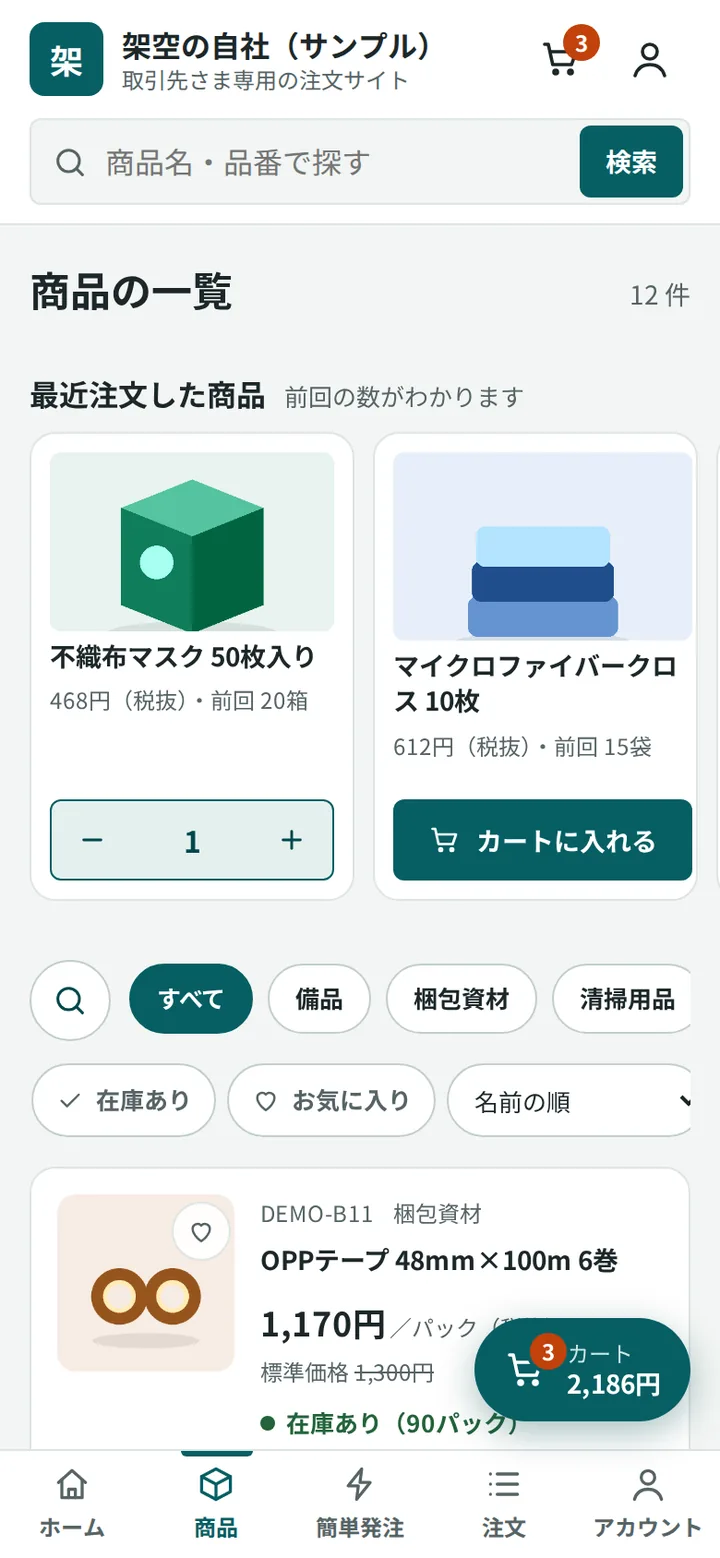
Early morningCustomer's staff
Place orders on the ordering site.
-
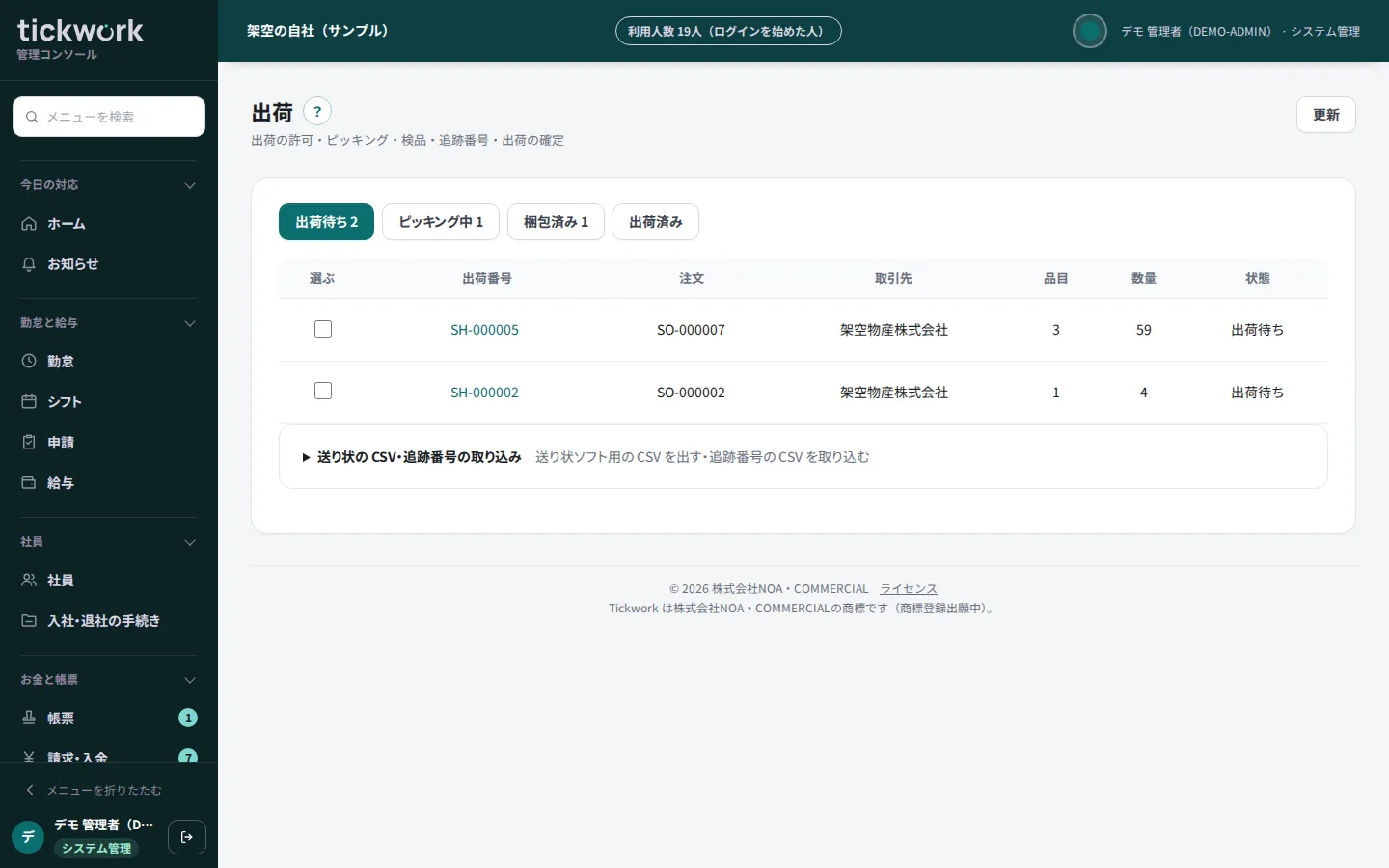
MorningWarehouse
Pick and inspect by barcode, and export shipping label CSVs.
-
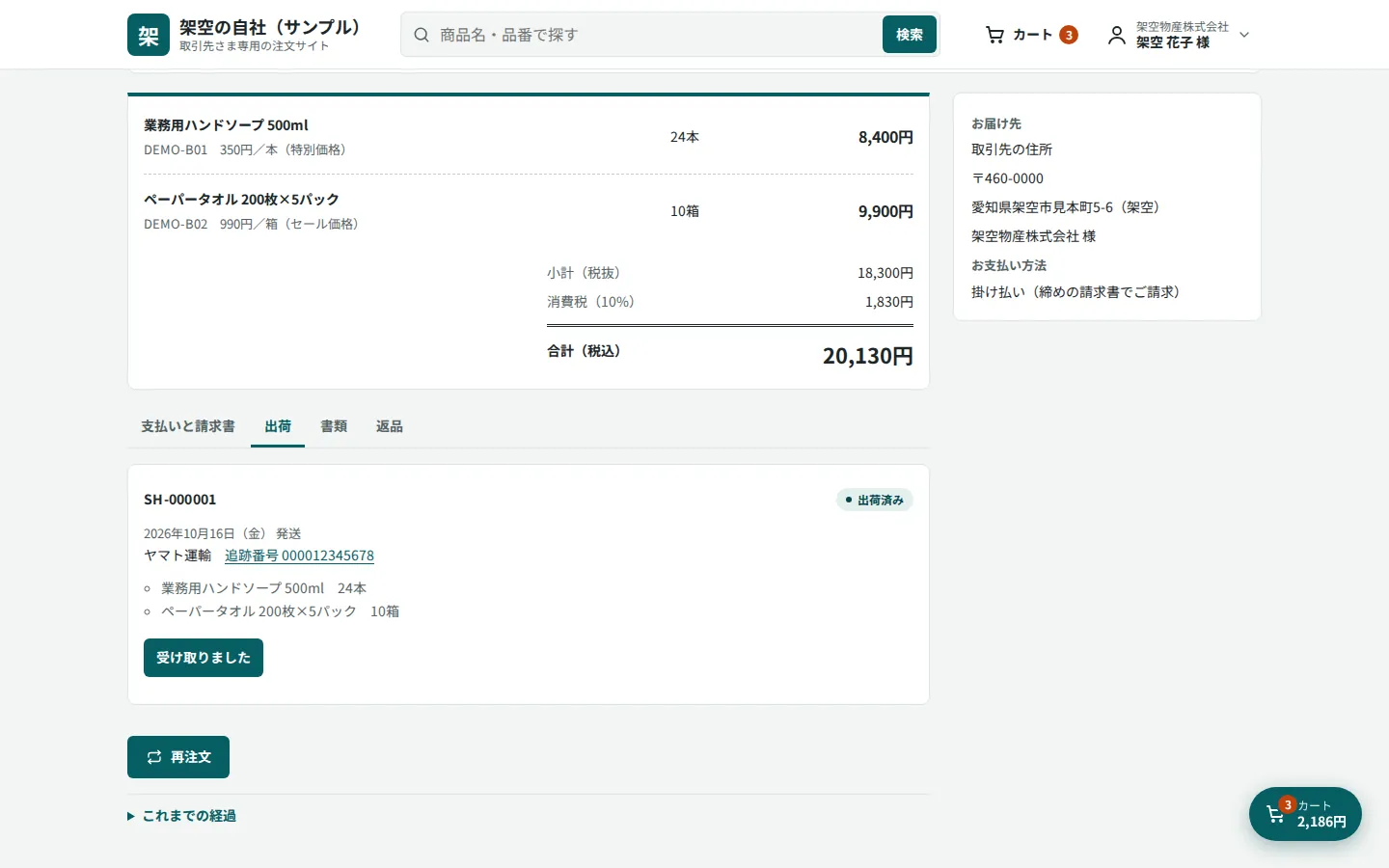
EveningOrder desk staff
Imported tracking numbers appear on the customer's screen.
-
Day after closing dateAccounting
Approve and send invoices, and match payments.
Note: Screens are for illustration purposes only (the data shown is fictional).
Combine common features
For two or more modules,
- Customer ordering site
- Sales orders and allocation rules
- Shipping, shipping label CSV and tracking numbers
- Inventory, barcodes, lots and expiration dates
- Reorder points and purchase orders
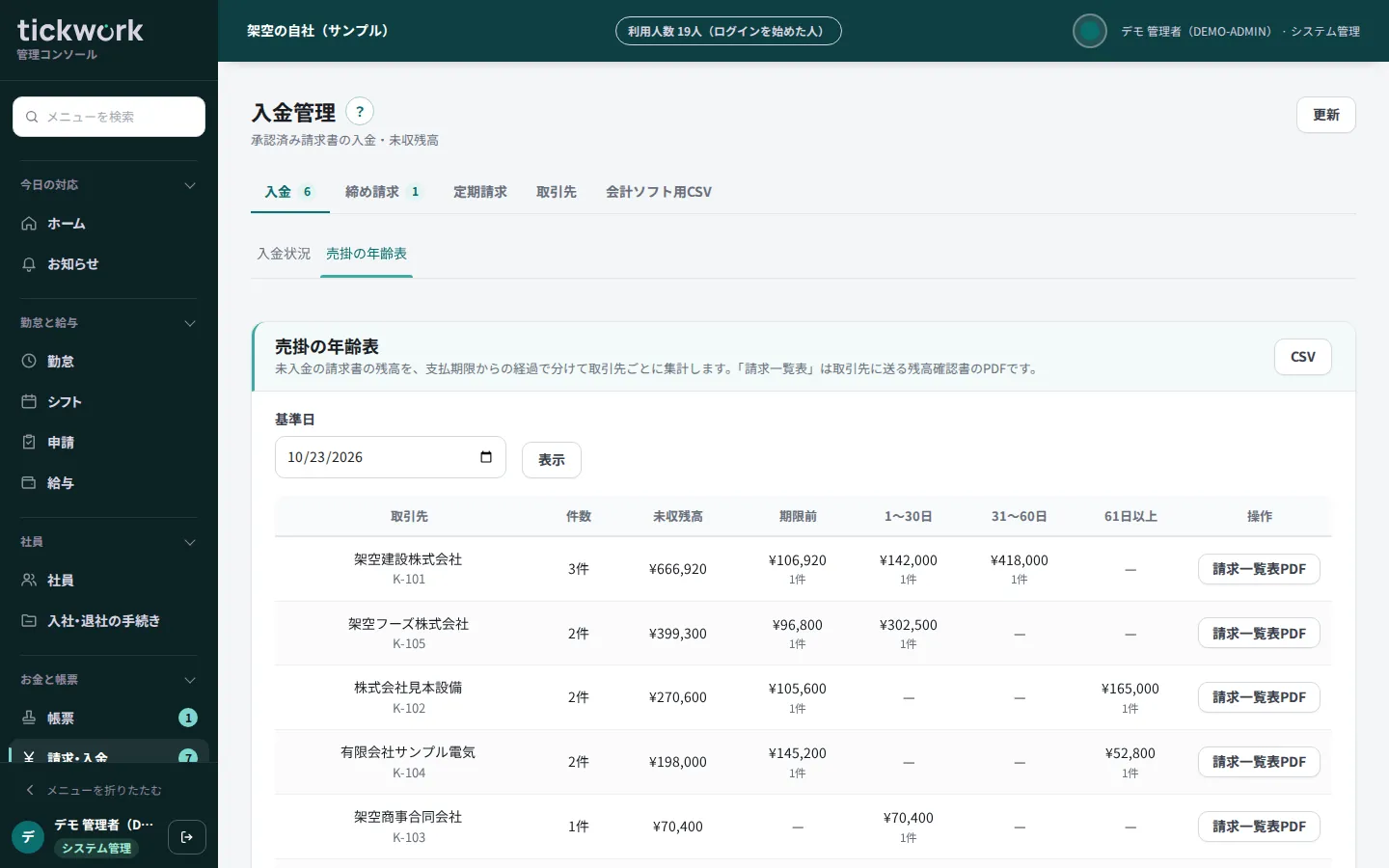
- Consolidated invoicing, payment matching and accounts receivable aging report
- Sales analysis and customer profiles
- CSV for accounting software
Industry-specific initial settings Choosing an industry fills in default values for features, business documents and work rules. About industry-specific initial settings
Pricing guide
Example: 15 employees using the app (accounts for customers' staff are not counted)
Billable users are the total of registered employees (regardless of employment type, including those not yet logged in) and invited partner company members. Billable users
Frequently asked questions
Are there any costs for customers?
Customers are not charged. Accounts for customers' staff are not counted as billable users of your company.
Does it integrate with carriers' systems?
There is no automatic integration. CSV files are exported for the shipping label software of Yamato Transport, Sagawa Express and Japan Post, and tracking number CSV files are imported.
Do customers who currently order by fax need to move to the ordering site right away?
No. Sales orders can be entered in the admin console. You can switch customers over gradually.
Note: The customer ordering site is available once enabled under Features in use (使う機能) in the admin console.
Please feel free to
We will ask about your number of users and the features you need, and advise you on how to proceed with implementation.
- Free 30-day trial
- No card required
If you would like to review materials first, please request materials (we will send a PDF by email).