This page is a translation of the Japanese page. Inquiries and support are handled in Japanese. The admin console is available in Japanese only; the employee app supports 日本語, English, Tiếng Việt, 中文(简体), 中文(繁體), 한국어 and नेपाली.
For facility work and maintenance companies
Finish inspection reports on site.
Connect equipment registers, inspections, parts and maintenance billing.
Ideal forInstallation and inspection of HVAC, electrical, plumbing and fire protection equipment, and building maintenance
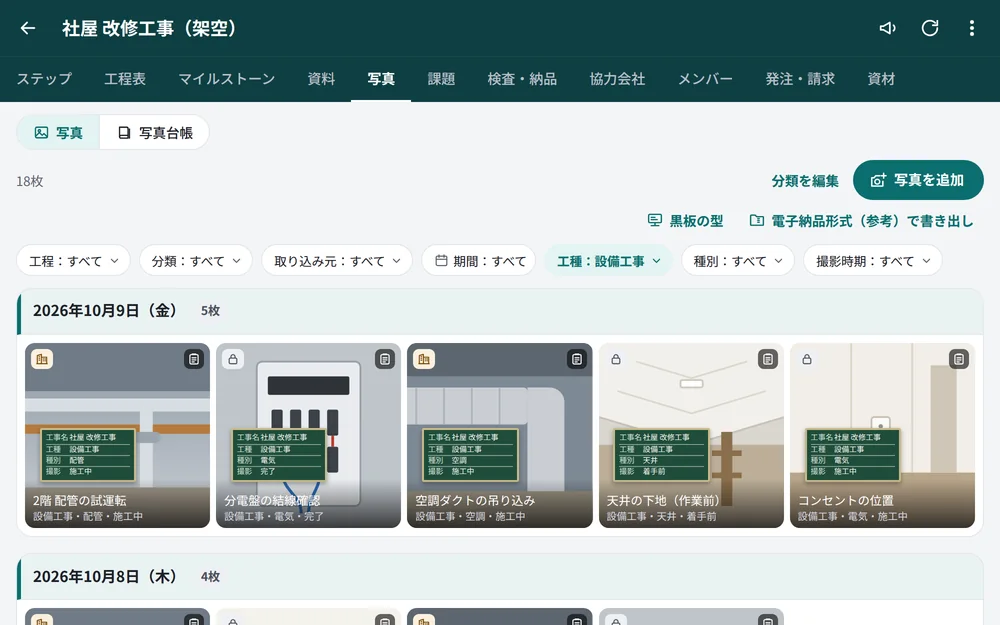
Note: Screens are for illustration purposes only (the data shown is fictional).
Eliminating effort and oversights in facility work and maintenance
-
01Now
Inspection reports are created after returning to the office
With TickworkInspection results and photos entered on a smartphone become a PDF report.
Equipment maintenance pack: detailed description -
02Now
Next inspection dates depend on memory and paper registers
With TickworkCreates tasks automatically from the equipment register as inspections come due.
Equipment registers and periodic inspections: detailed description -
03Now
Parts taken out are not recorded, and inventory does not match
With TickworkStocking out by barcode totals part quantities and amounts by site.
Stock out by barcode: detailed description -
04Now
Monthly maintenance fee invoices are created manually
With TickworkRecurring invoices draft monthly invoices automatically.
Recurring invoices and payment matching: detailed description
A day at a facility work and maintenance company (example)
-
Early morningDispatcher
Check today's inspections and assignees.
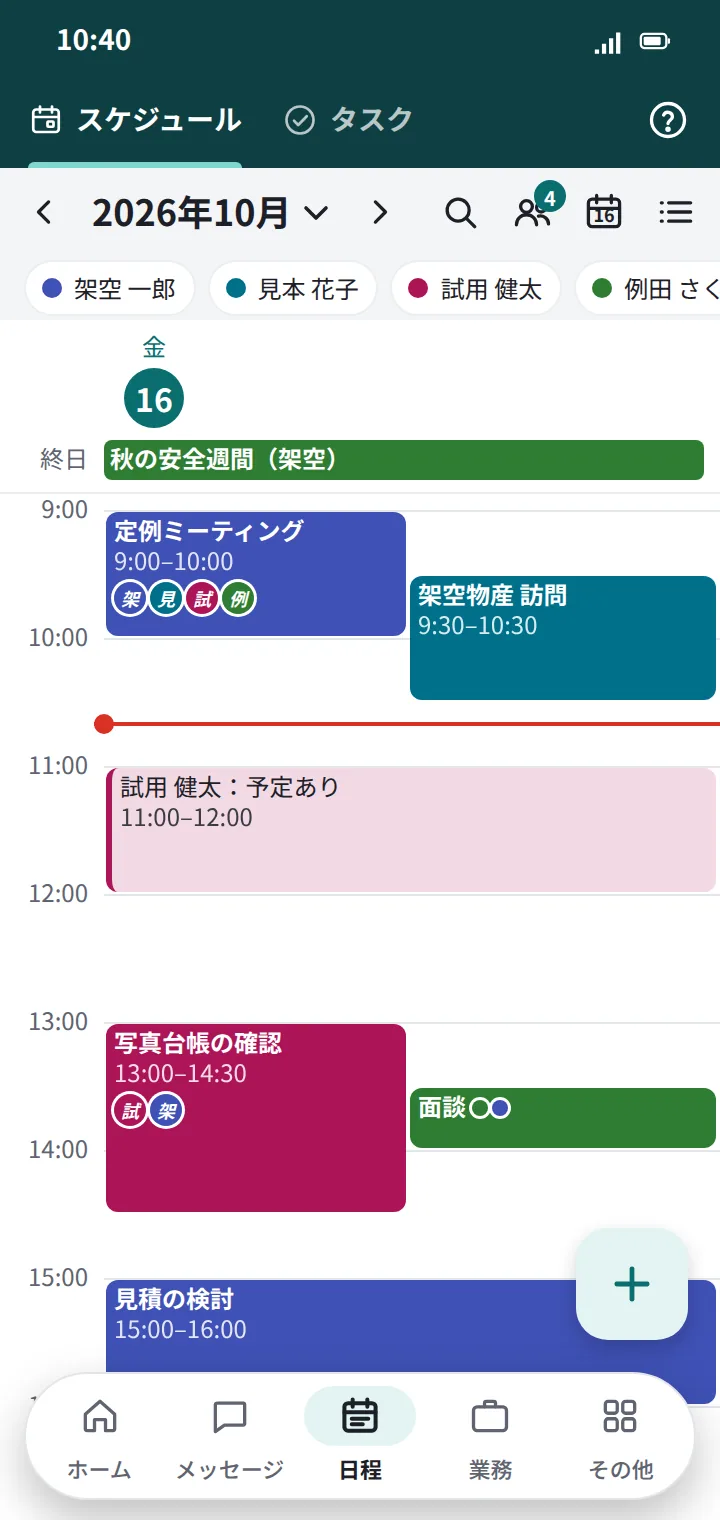
-
MorningInspector
Fill in the checklist and take before-and-after photos.
-
MiddayUrgent repair request
Share location and photos in chat, and the nearest technician responds.
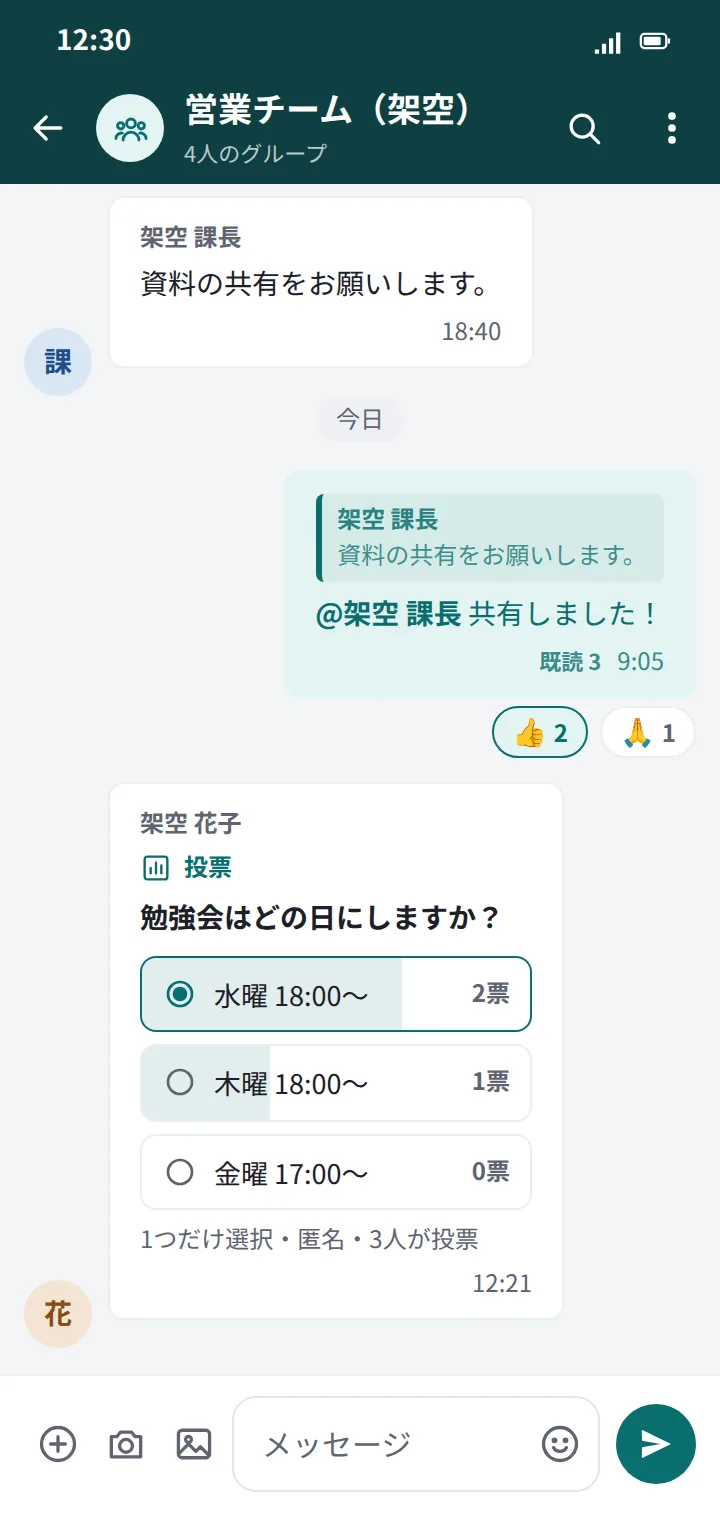
-
Month-endAccounting
Approve and send maintenance fee invoices, and match payments.
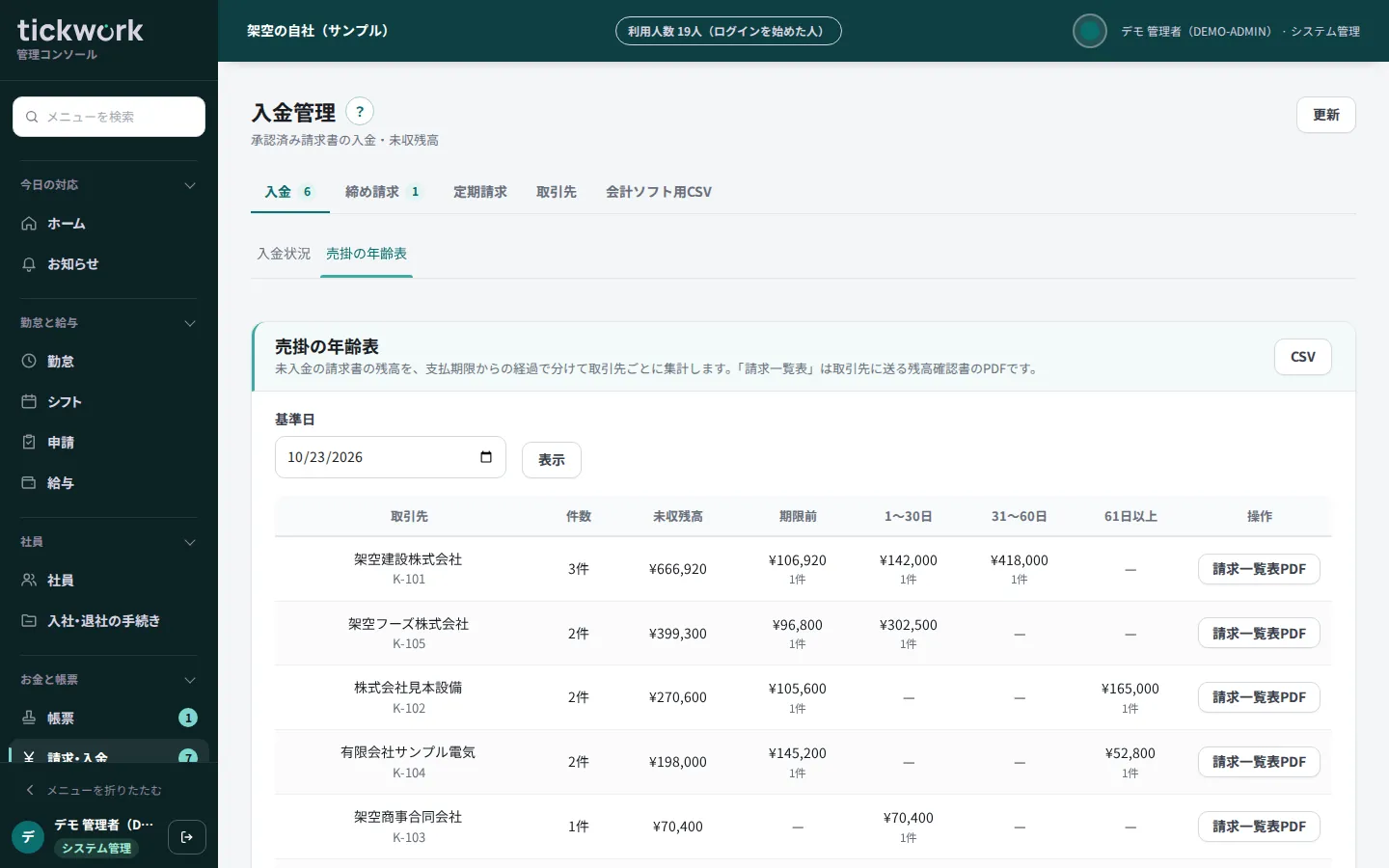
Note: Screens are for illustration purposes only (the data shown is fictional).
Combine common features
For two or more modules,
- Equipment registers and periodic inspections (equipment maintenance pack)
- Inspection checklists and issues
- Before and after photos and photo ledgers
- Parts stock in/out by barcode
- Recurring invoices and payment matching
- Schedule and chat
- Customer interaction history
- Clock-in, attendance and payroll calculation
Industry-specific initial settings Choosing an industry fills in default values for features, business documents and work rules. About industry-specific initial settings
Pricing guide
Example: 25 employees using the app
Billable users are the total of registered employees (regardless of employment type, including those not yet logged in) and invited partner company members. Billable users
Frequently asked questions
Can it be used in machine rooms without a signal?
Photos are saved on the device as pending and sent automatically when the connection returns.
Can inspection reports be given to customers?
Reports are created as PDF, so you can download them and send them by email or other means.
Note: The equipment maintenance pack is available when set to Use under Settings → Projects → Industry feature packs (設定 → プロジェクト → 業種別の機能パック) in the admin console (no additional charge). Please also see the usage example for a facility work and maintenance company (fictional company).
Please feel free to
We will ask about your number of users and the features you need, and advise you on how to proceed with implementation.
- Free 30-day trial
- No card required
If you would like to review materials first, please request materials (we will send a PDF by email).