This page is a translation of the Japanese page. Inquiries and support are handled in Japanese. The admin console is available in Japanese only; the employee app supports 日本語, English, Tiếng Việt, 中文(简体), 中文(繁體), 한국어 and नेपाली.
Connect the field
Employees enter data on smartphones;
Do any of these sound familiar?
 Collecting time cards at month-end and tallying them by handSmartphone clock-ins flow directly into totals and payslips
 Re-creating invoices and checking payments against bankbooksFrom quotation to invoicing and payment confirmation, in one continuous flow
 Stock counts do not match, and orders come by phone and faxCount with barcodes and receive orders on the web
 Site photos and progress do not reach the officePhotos, schedules and communication, organized by project
From clock-in to payslip,
Clock-ins are totaled as is, and payslips arrive on employees' smartphones.
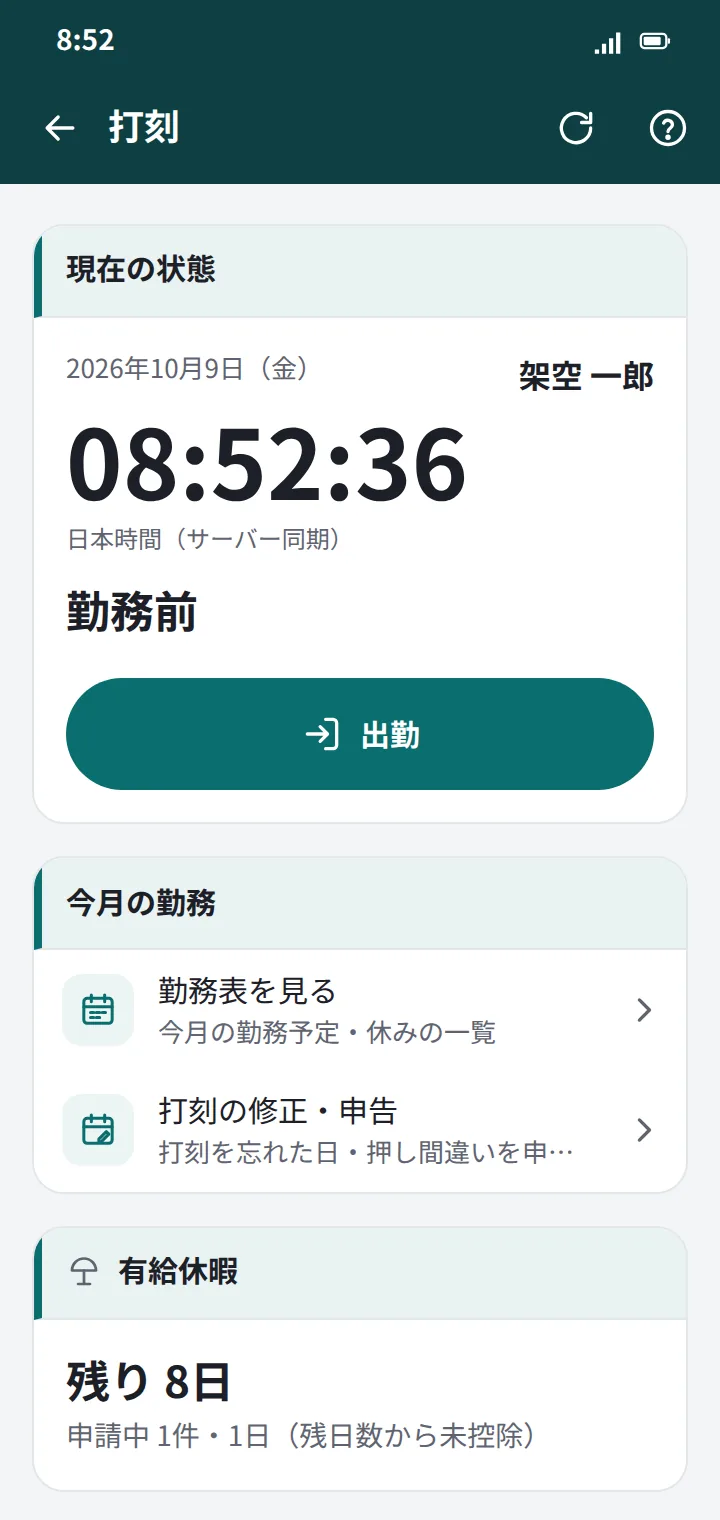
- Clock in with smartphones, shared tablets or clock-in cards
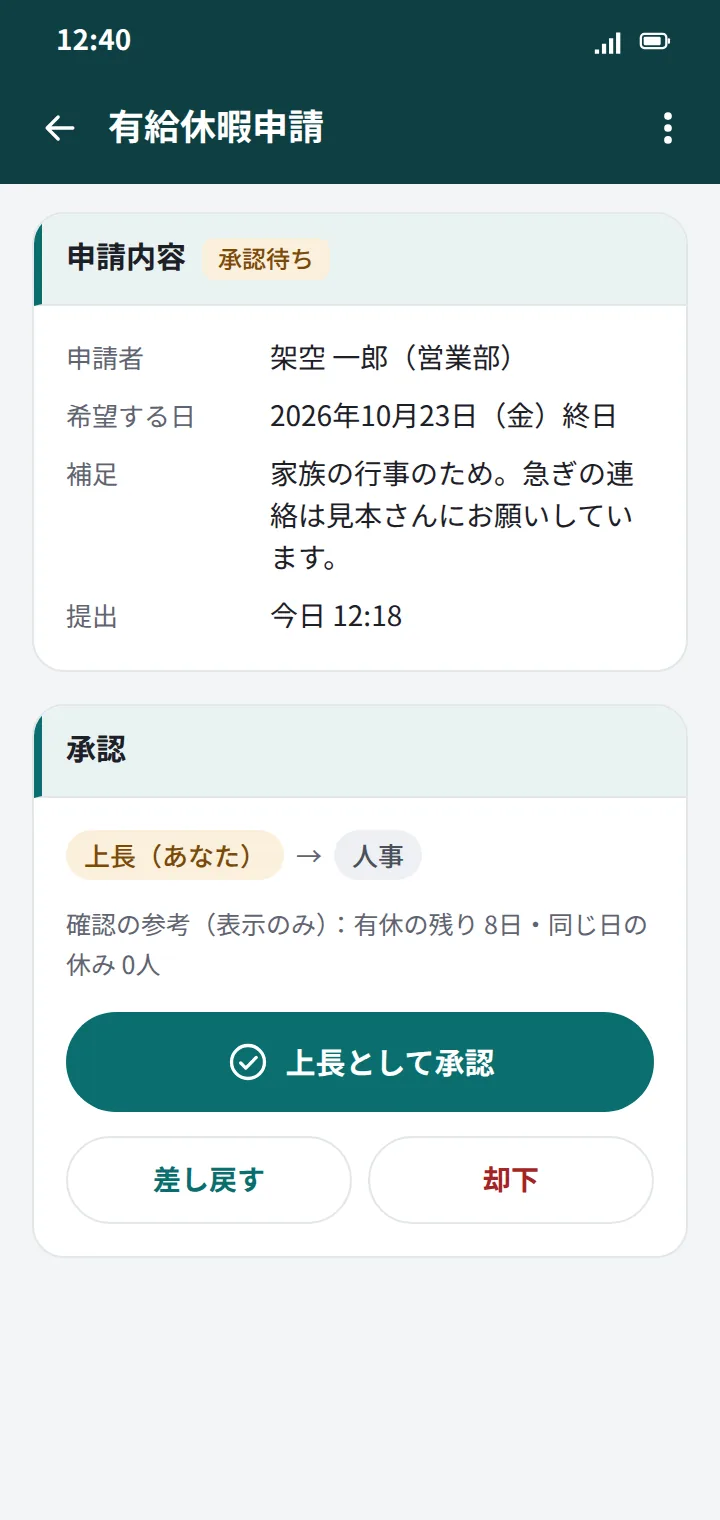
- Requests and approvals for leave, overtime and expenses on smartphones
- Payroll calculation and issuance of payslips (filings and payments not included)
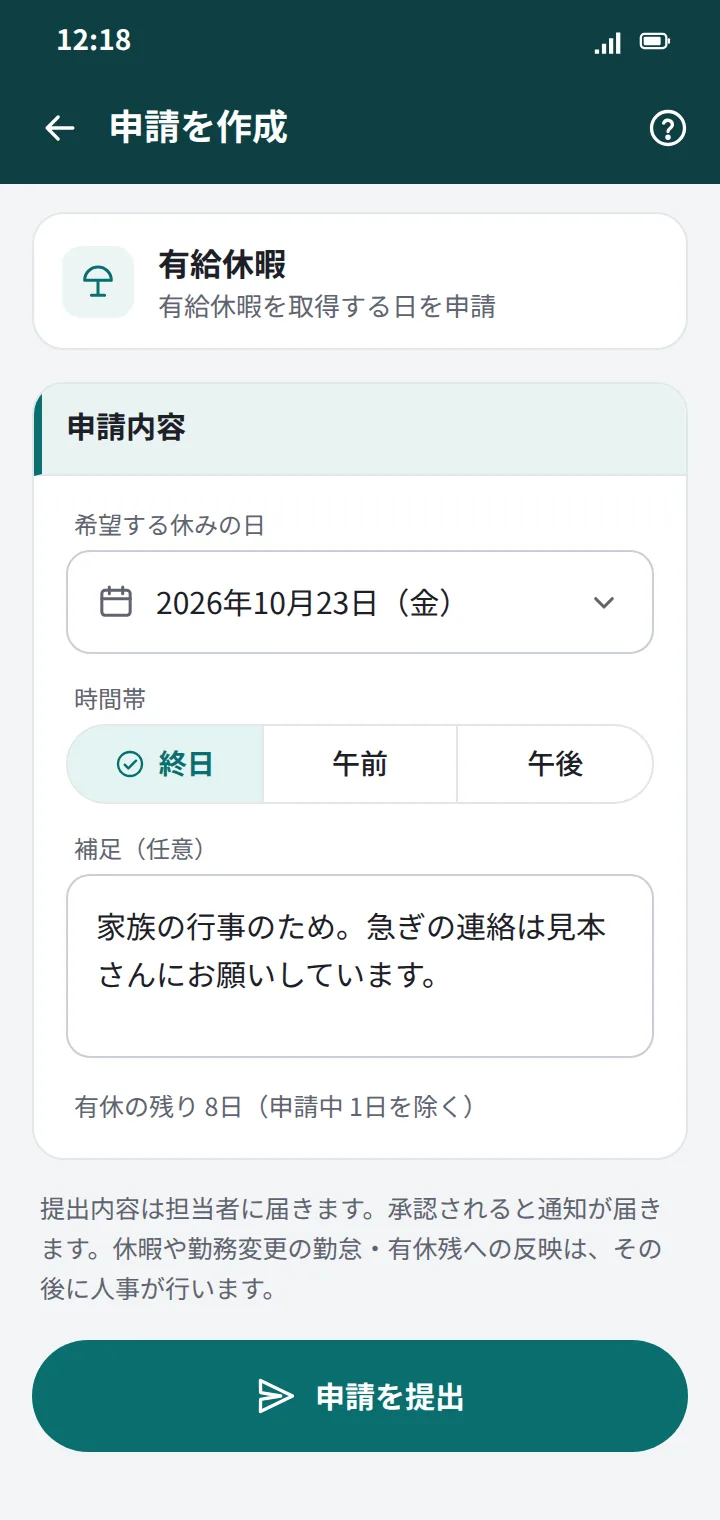
Requests from smartphonesLeave, overtime and expenses 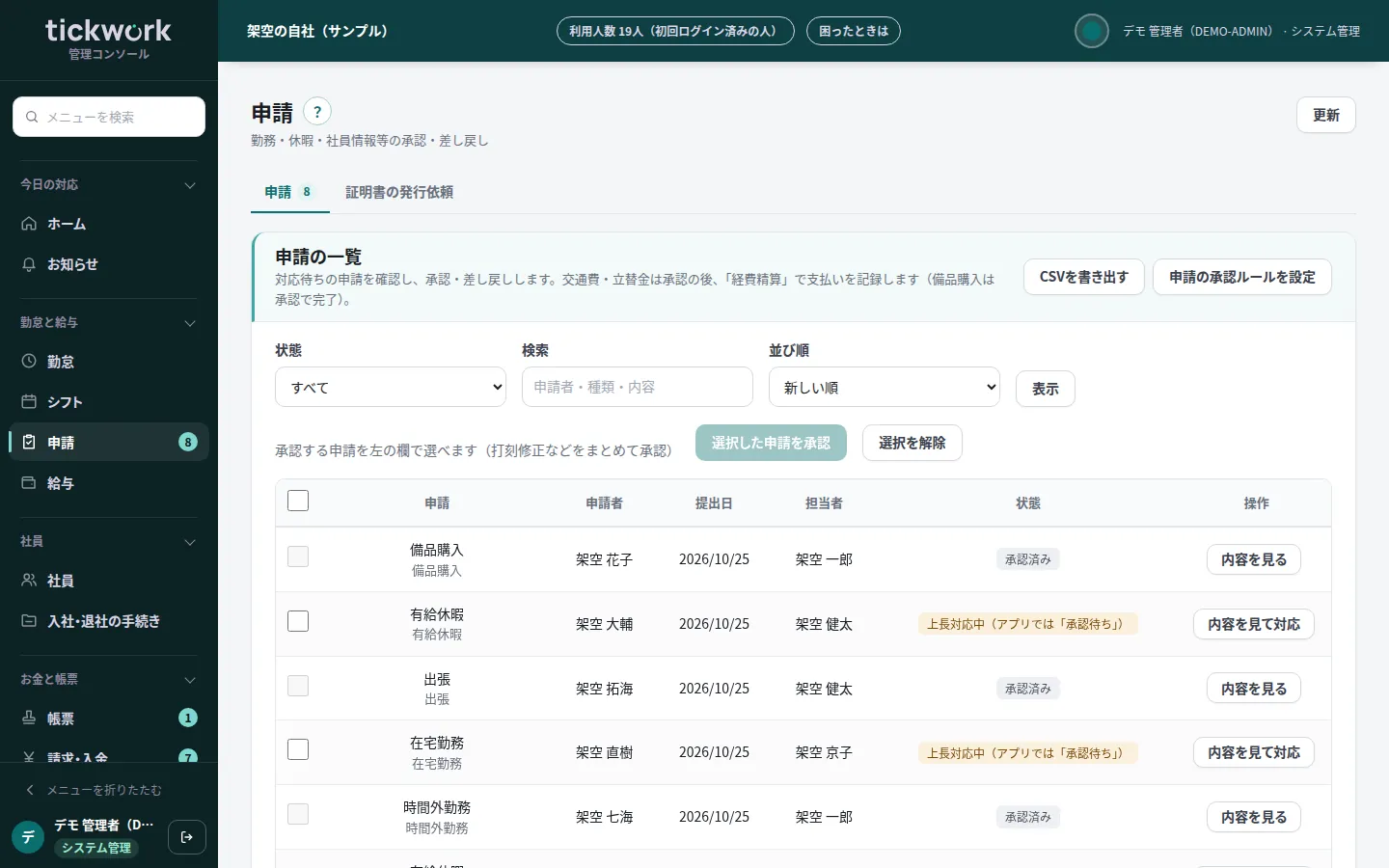
Approve in the admin console tooApproval routes that pass through managers in order 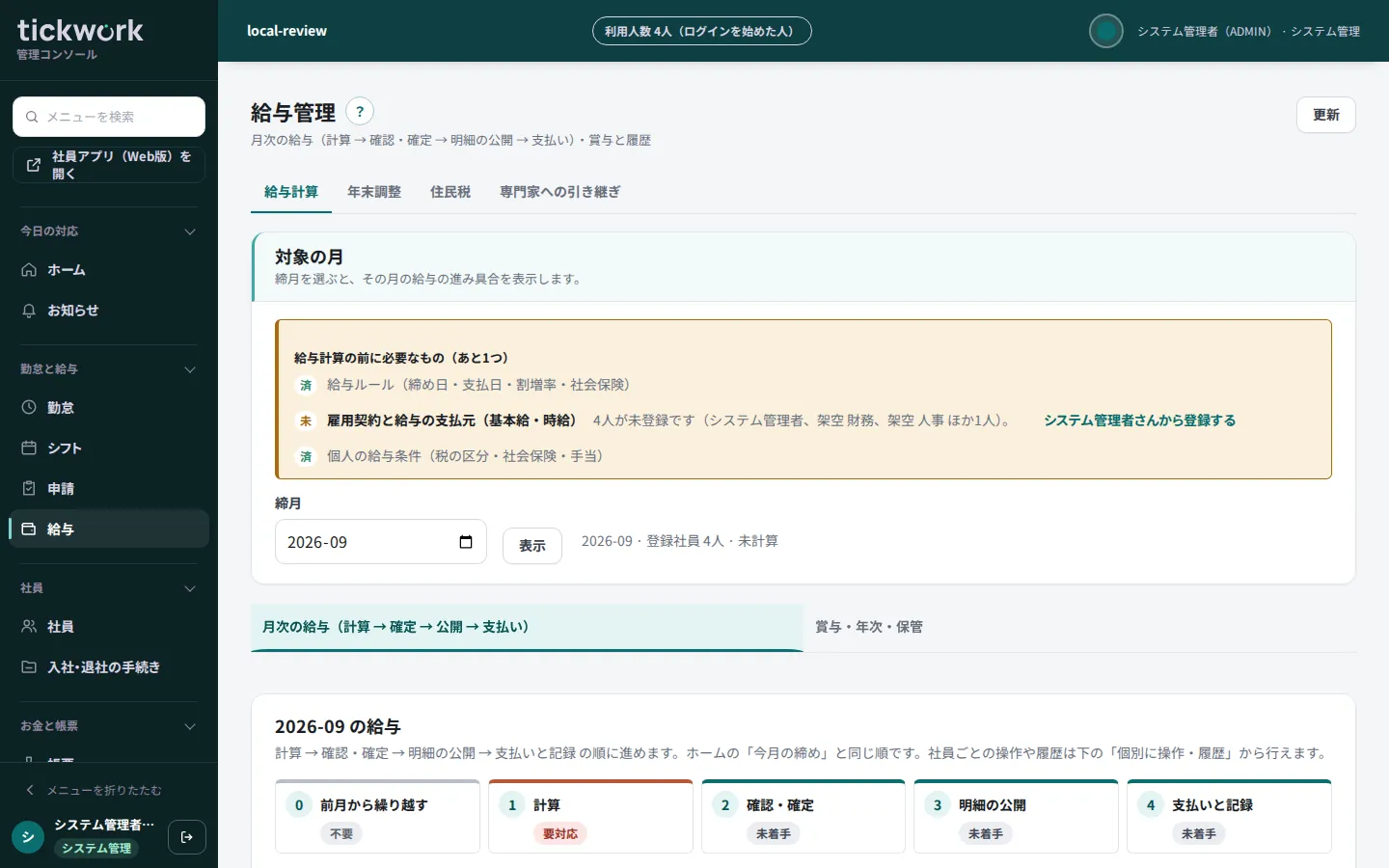
From payroll calculation to payslipsPublished after review
From quotation to invoicing and payment confirmation,
Turn quotations into invoices as is, and match payments against bank statements.
- Create quotations, delivery notes, invoices and receipts from the same content
- Issue as PDF after approval and send by email
- Match payments by importing bank statements
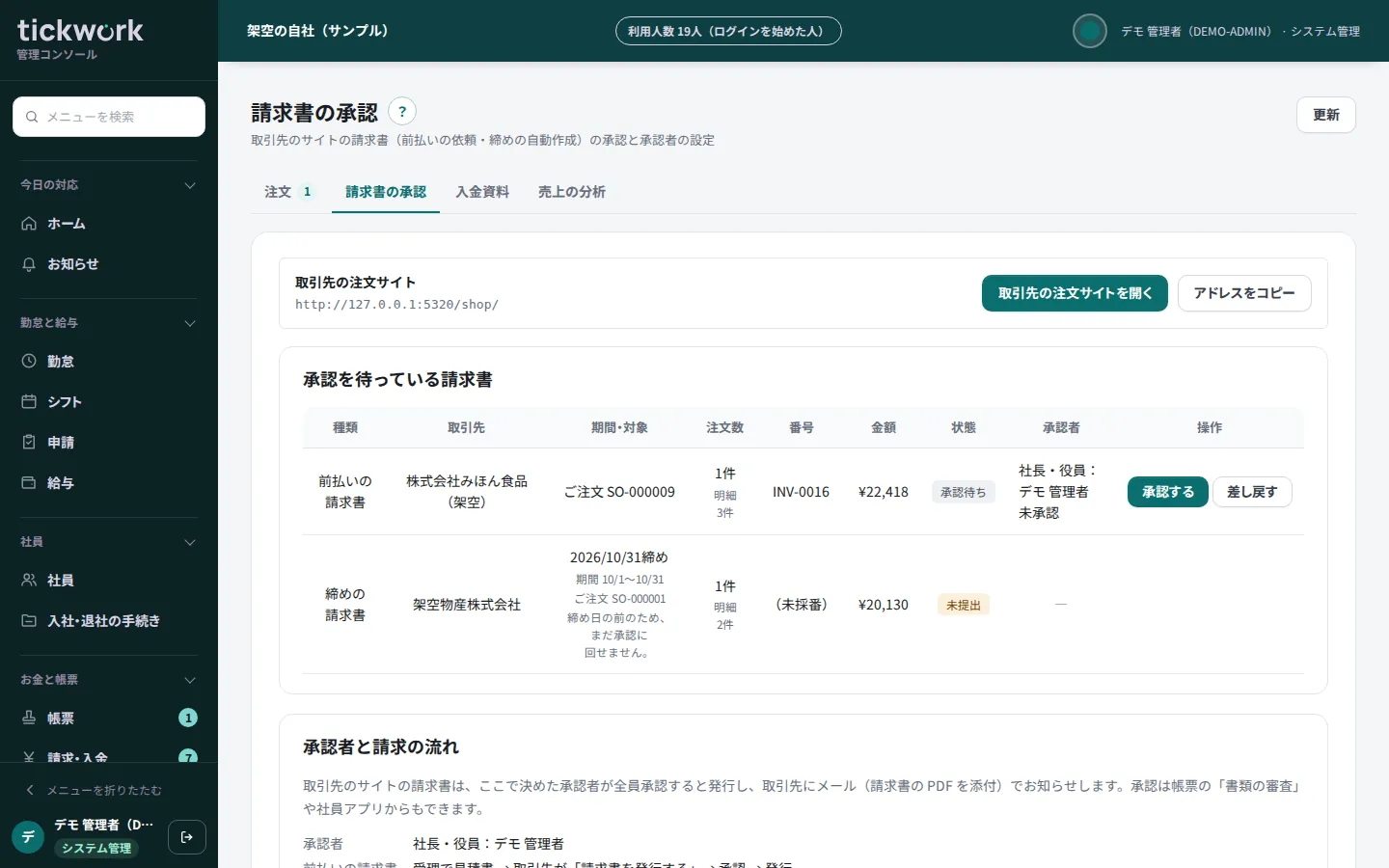
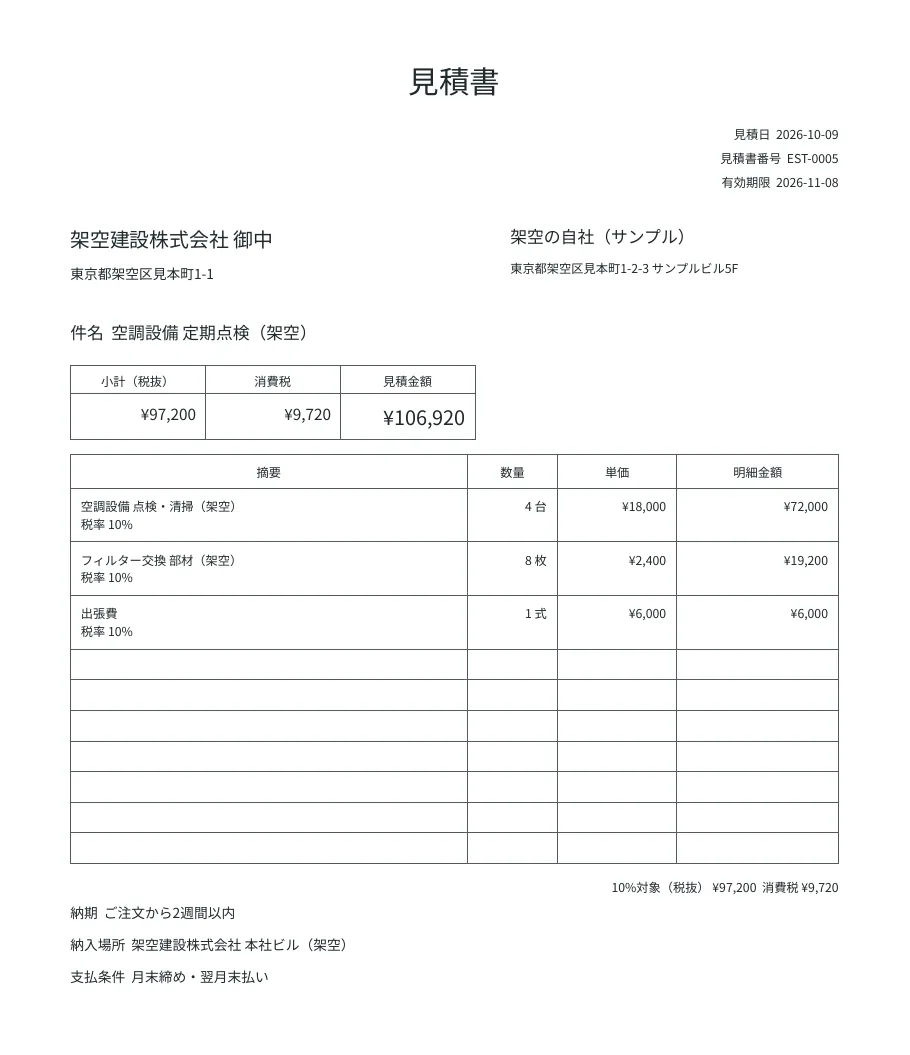
QuotationsWith your company seal and logo 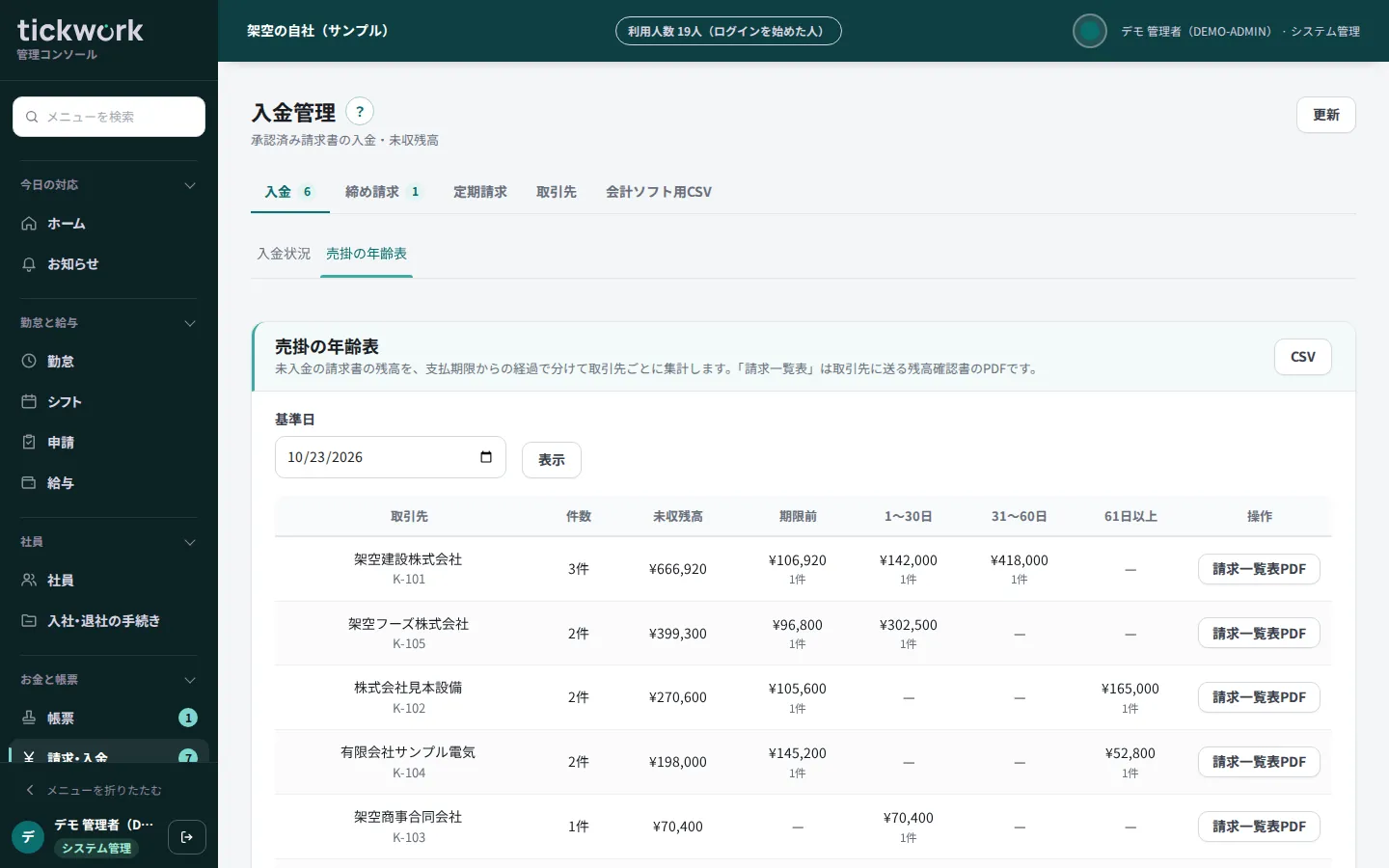
Payments and outstanding amountsBalances by customer 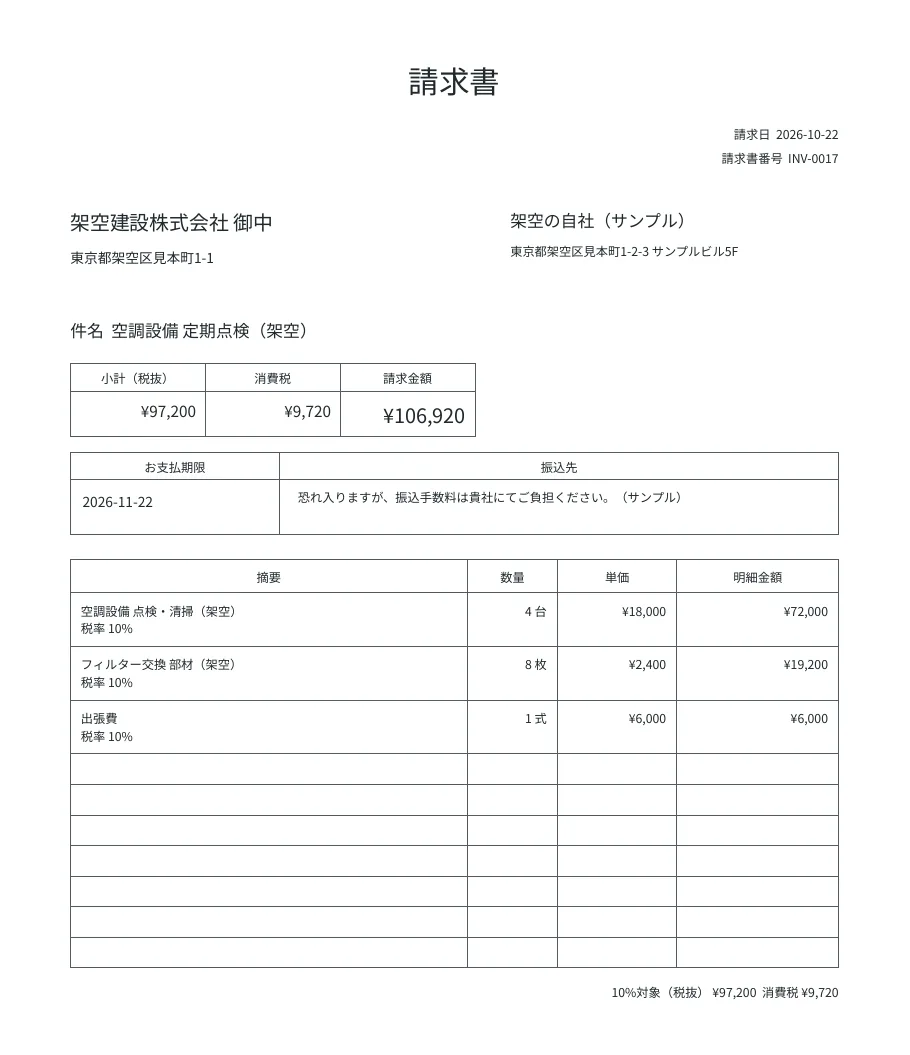
InvoicesItems required for qualified invoices
Inventory by barcode,
Record stock in and stock out on smartphones, and take customer orders on a dedicated site.
- Scan barcodes with a smartphone camera
- Reorder before stock runs out, and take stock on smartphones
- Sales orders and shipping from a dedicated customer ordering site
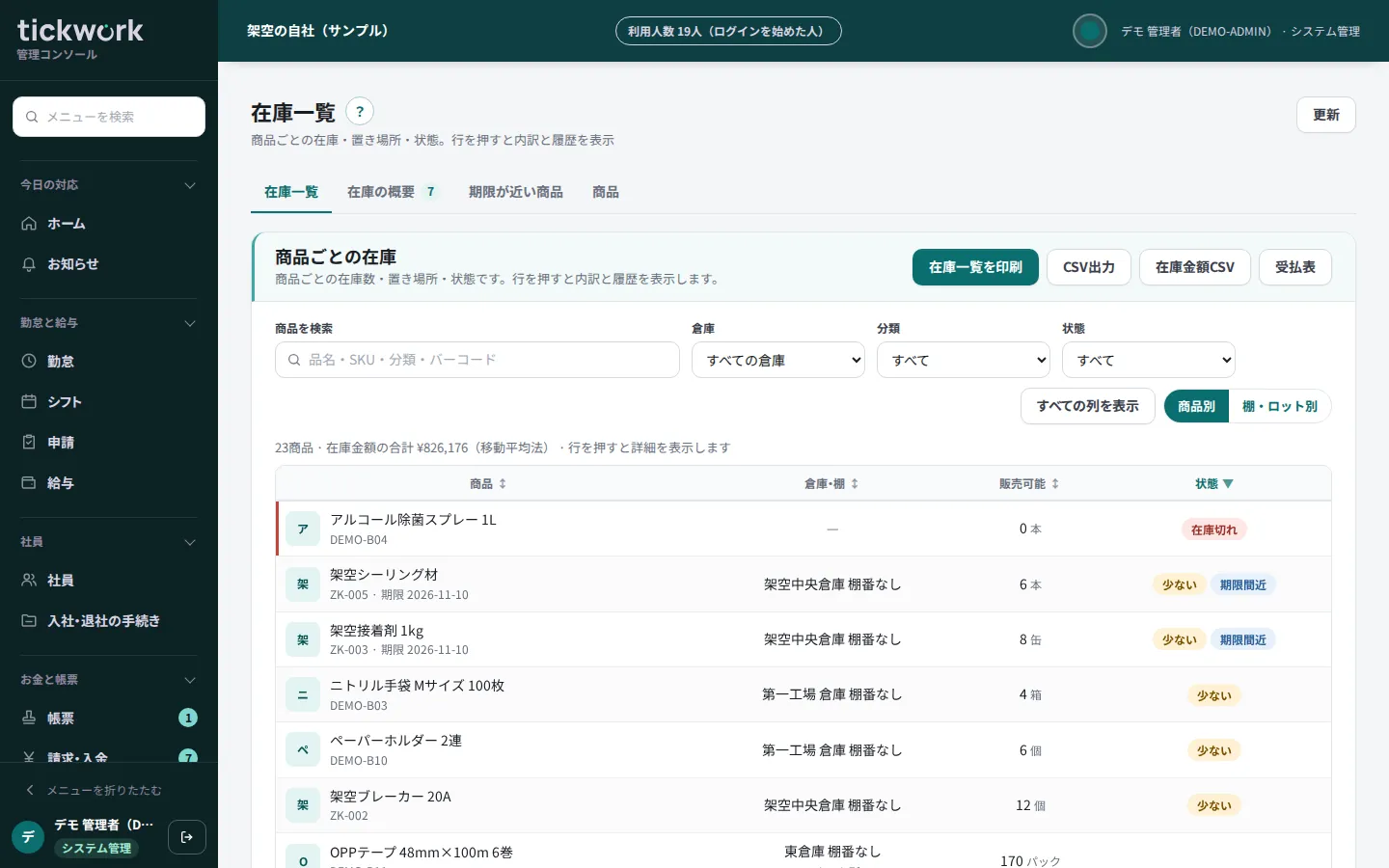
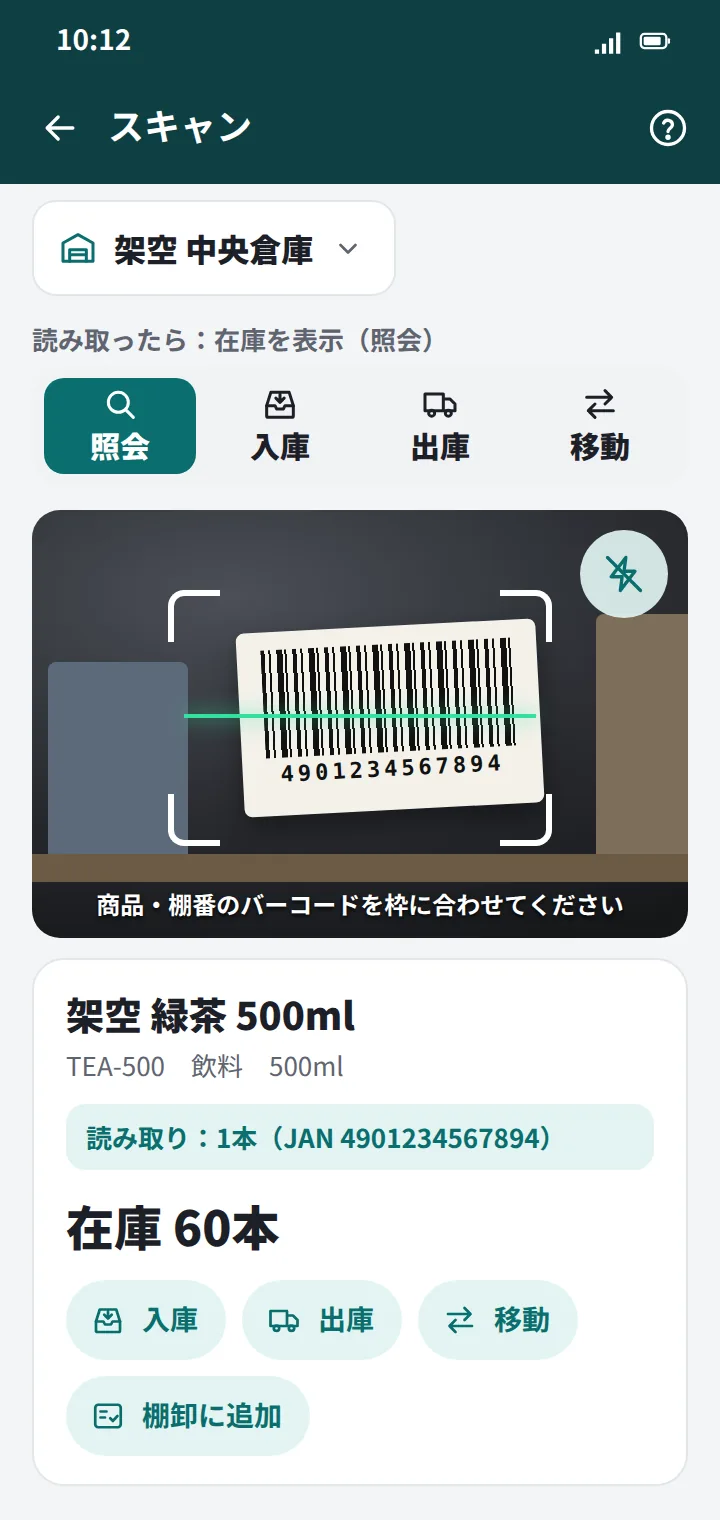
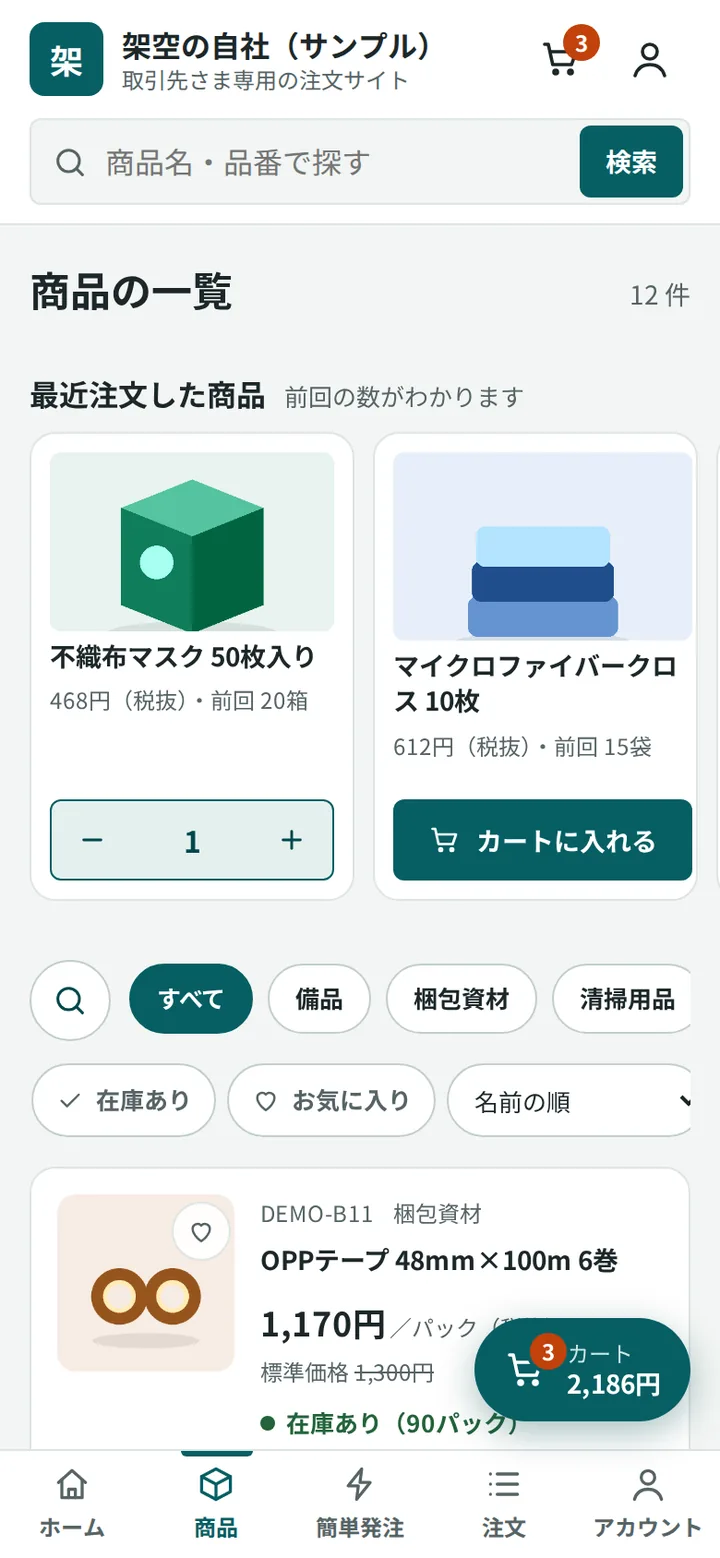
Web orders from customersFewer phone and fax orders 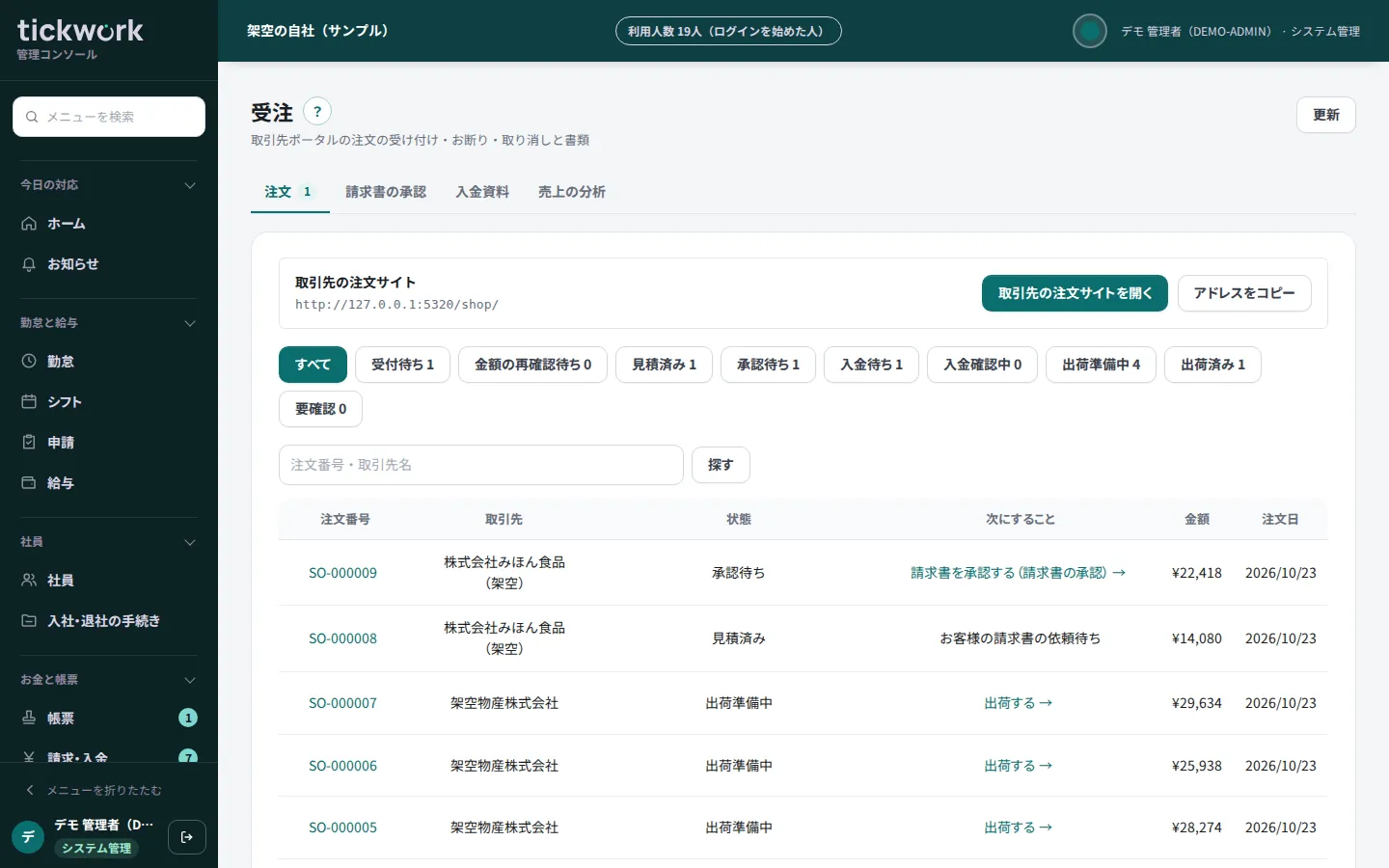
Sales order listToday's shipments at a glance 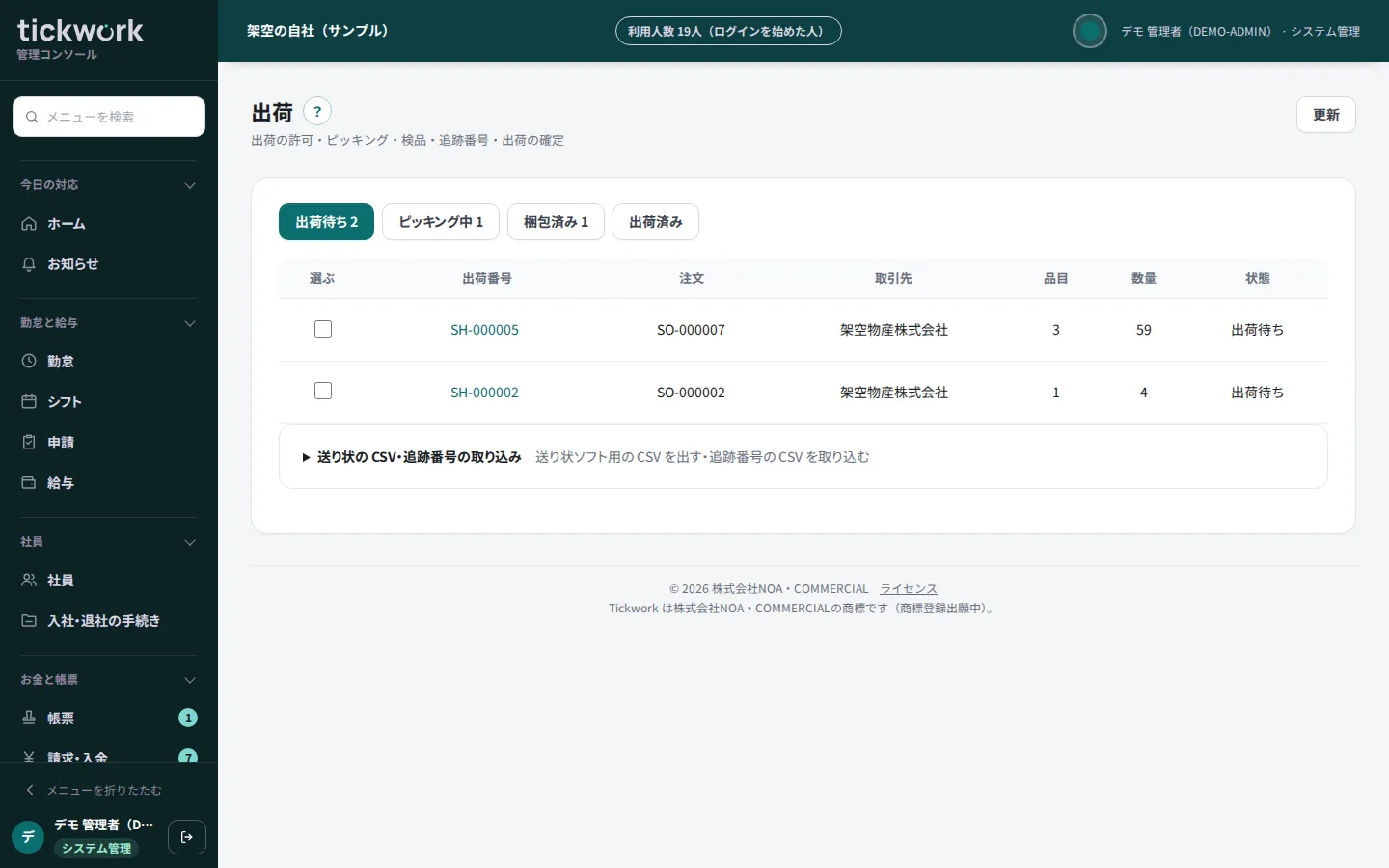
Shipping and shipping labelsThrough to tracking numbers
Photos, schedules and communication,
Share site photos and schedules with partner companies.
- Batch sending of photos and photo ledger PDFs
- Share tasks, assignees and deadlines on the schedule
- Invite partner companies and outsourced contractors and communicate with them
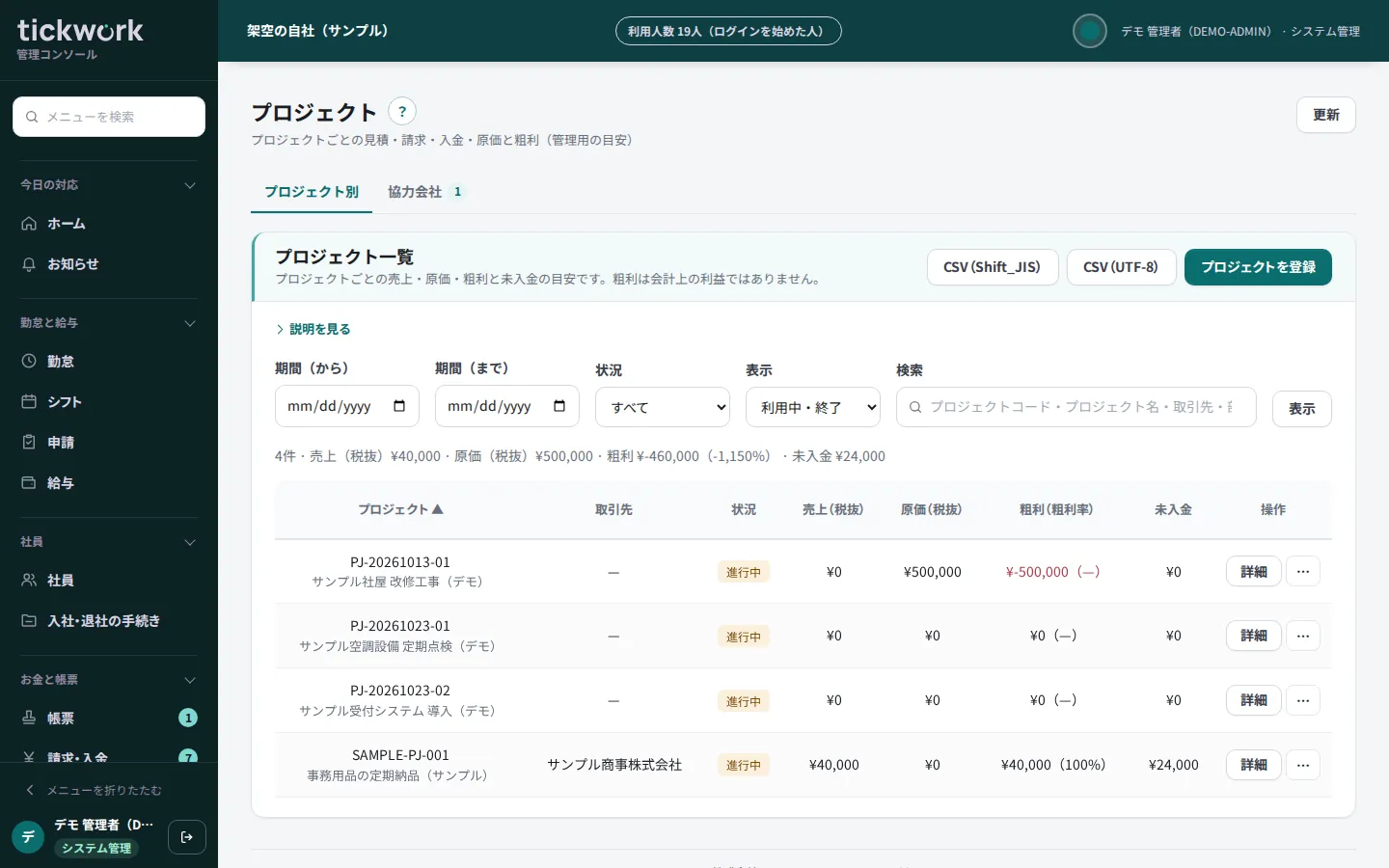
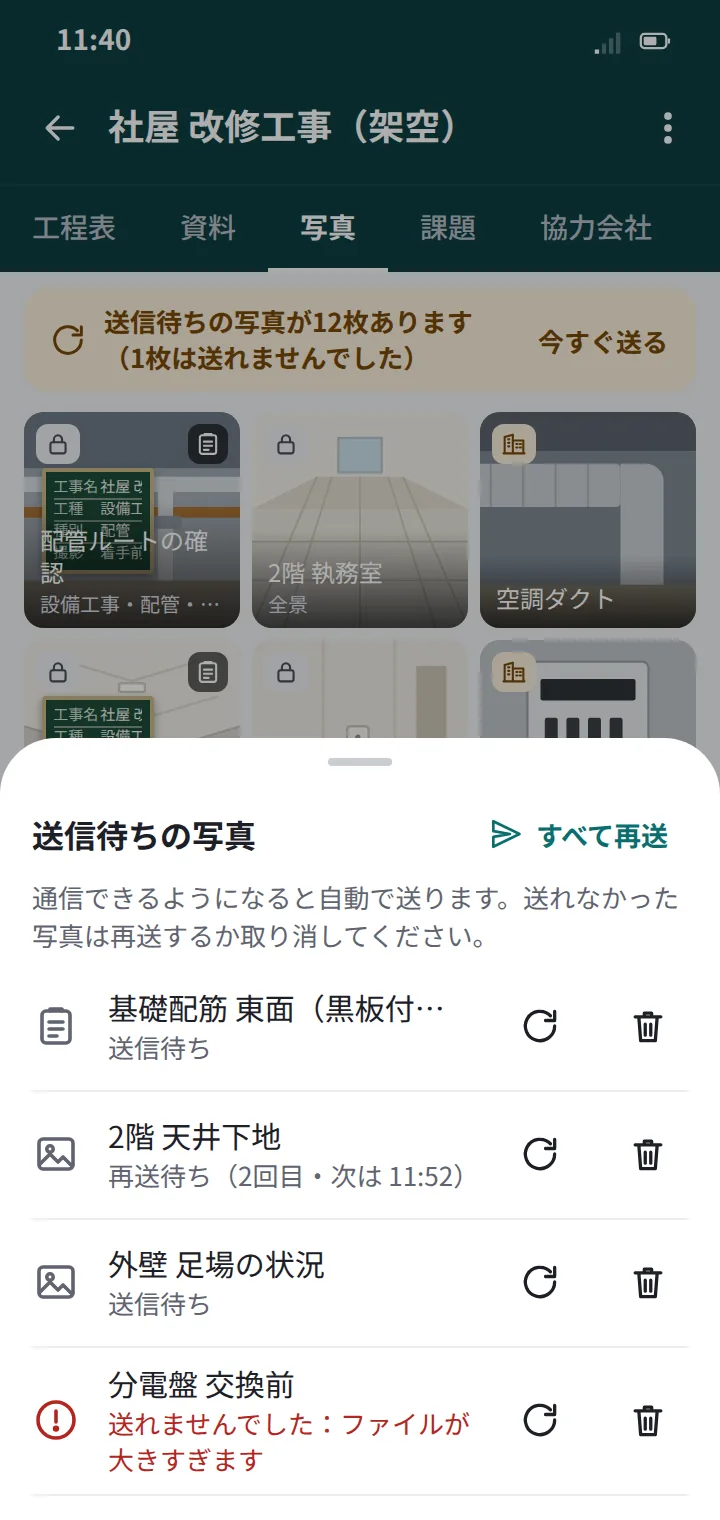
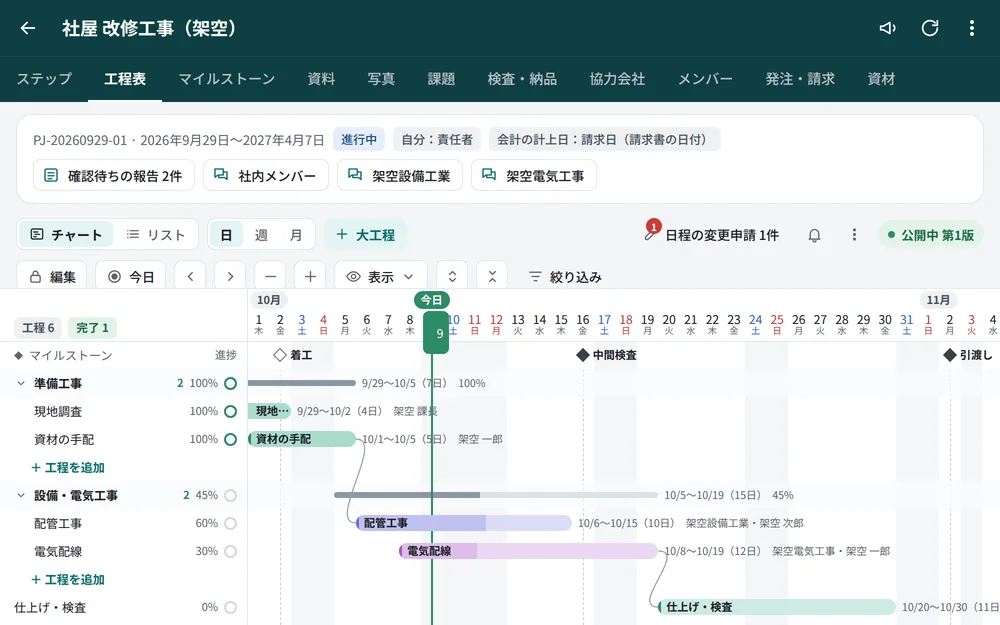
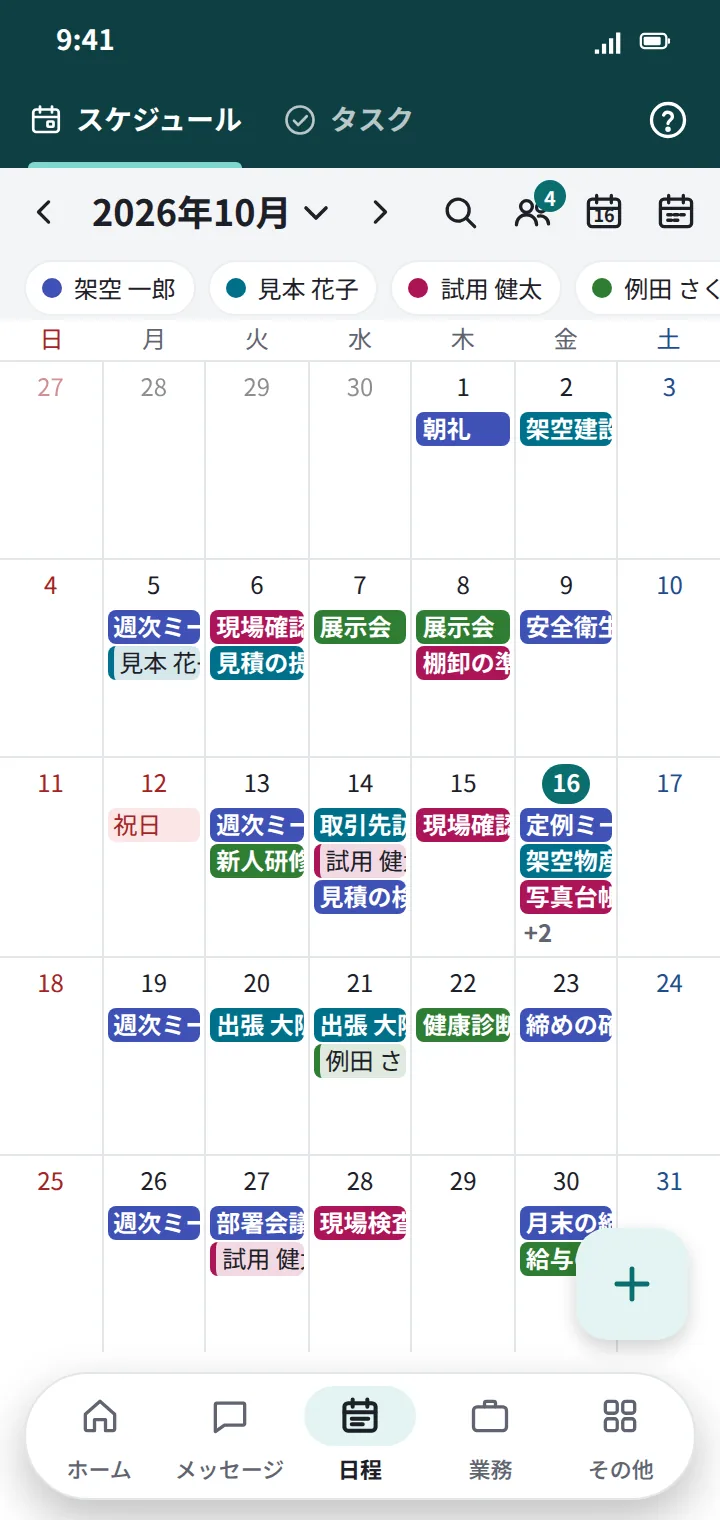
ScheduleAdjust dates by dragging 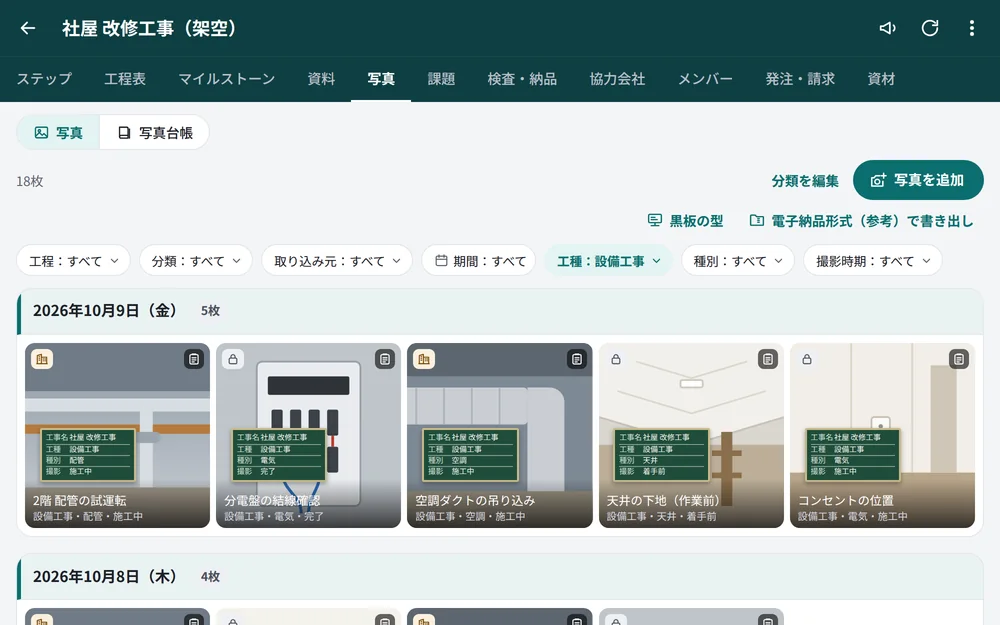
Site photosOrganized into folders and ledgers 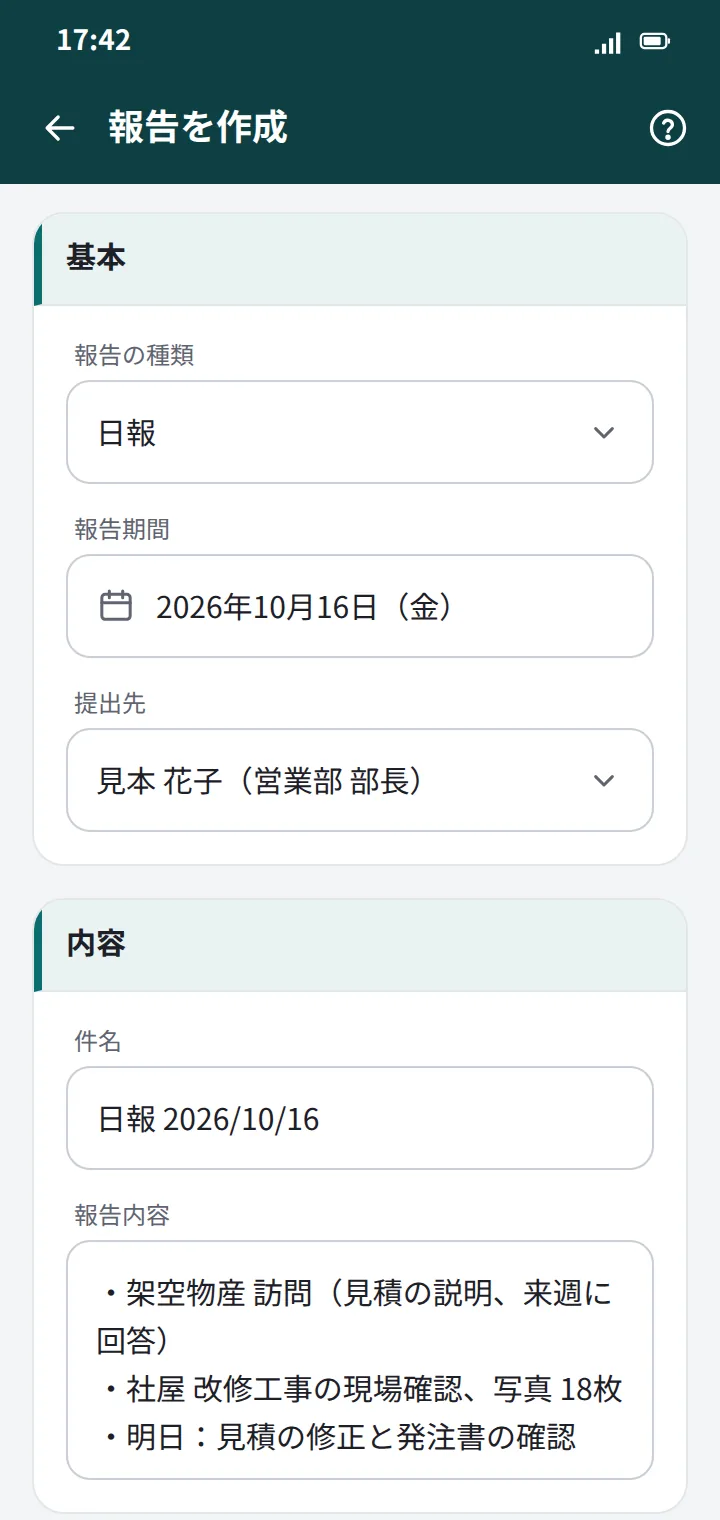
Daily reportsWrite and send them on a smartphone
Internal communication,
It is the same app as for work, so there is no need to use personal contact details.
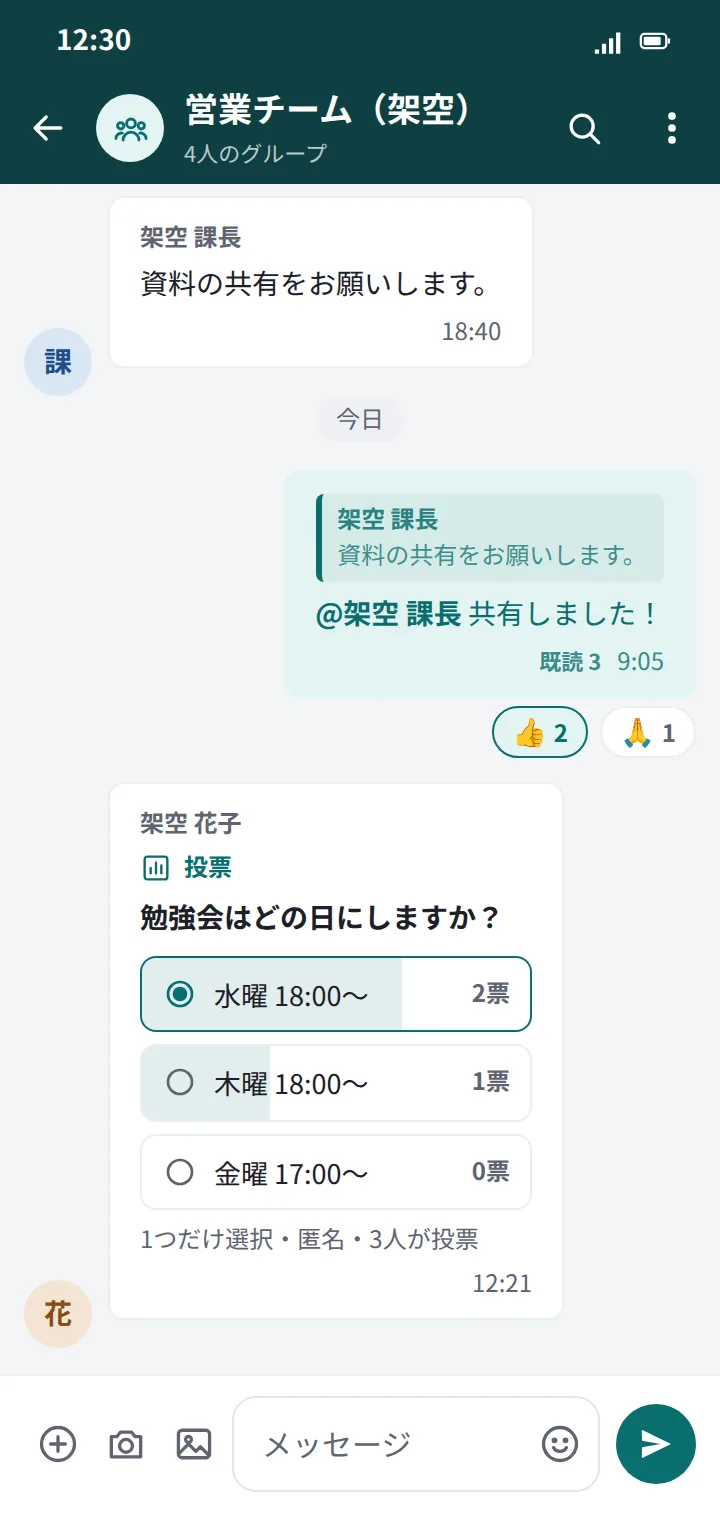
- Chat and voice calls (one-to-one and group)
- See who has read each announcement
- The employee app is available in seven languages
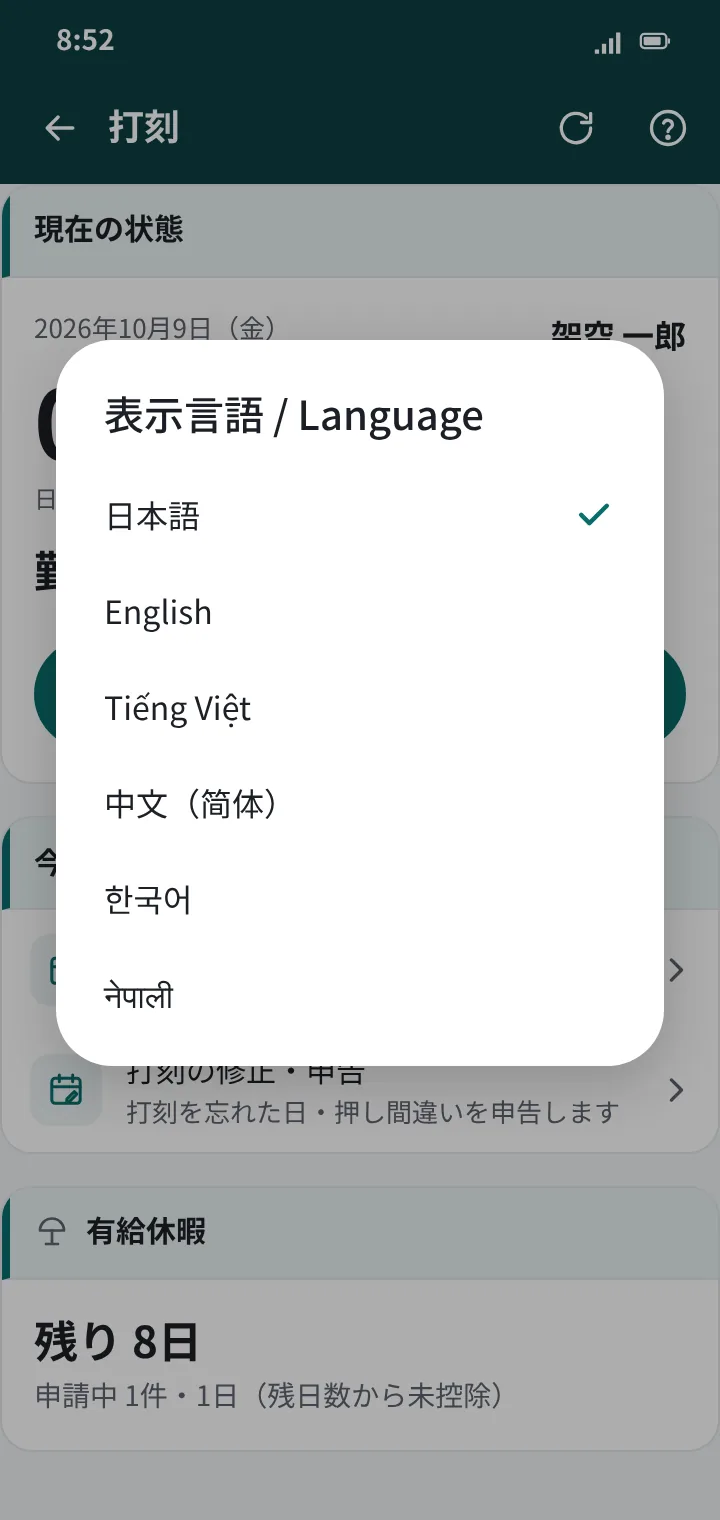
Three features included with every single-module plan
 Employee app in seven languagesJapanese, English, Vietnamese, Chinese (Simplified and Traditional), Korean and NepaliLearn more
 Easy migrationImport your current data by CSV, and try it with sample dataLearn more
 A service you can rely onTwo-factor authentication, permissions, operation logs and daily backupsLearn more
Note: Screens are for illustration purposes only (the data shown is fictional).
View all featuresFeatures by module
Attendance and shifts
Included in Tickwork Attendance & Payroll
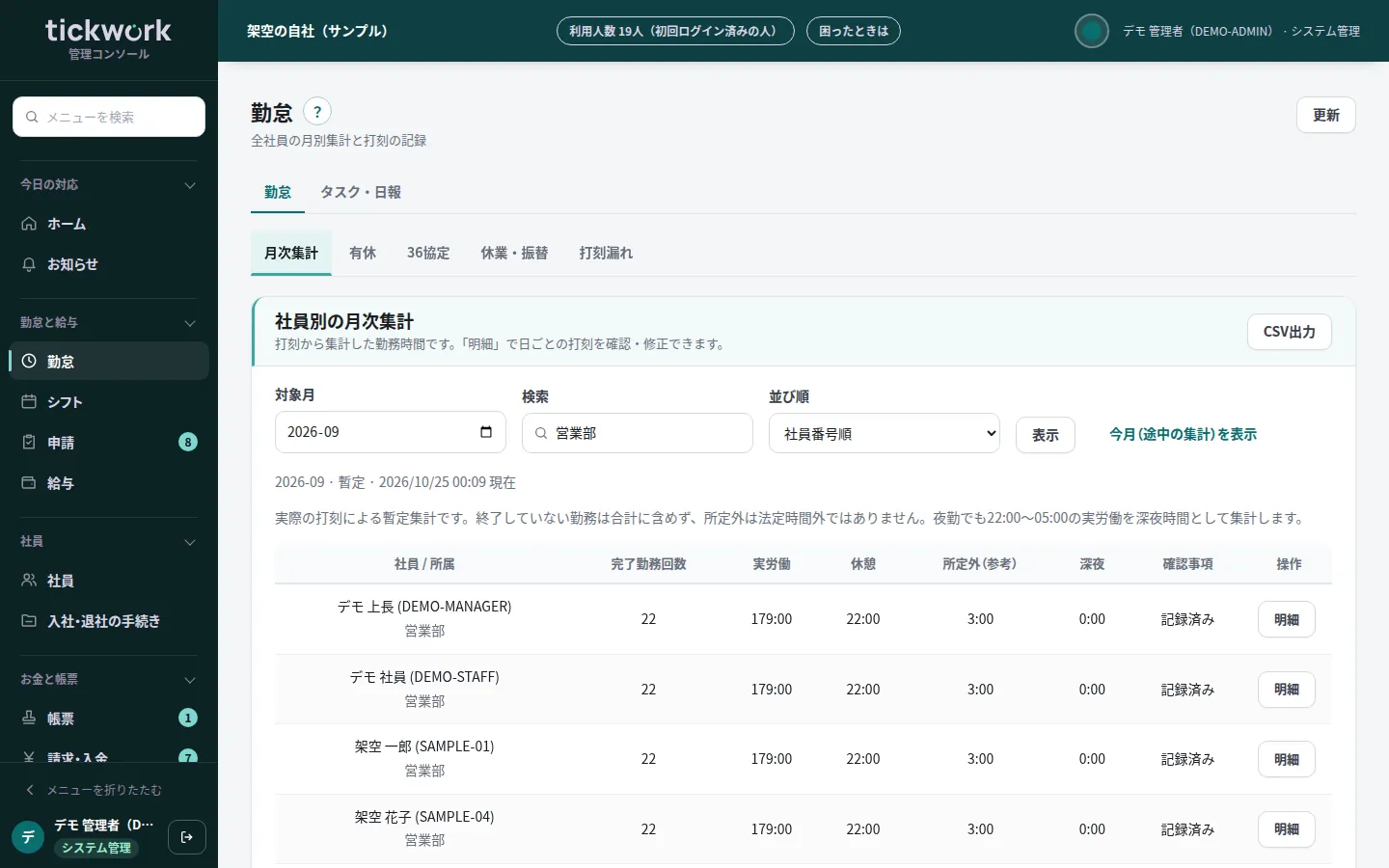
Clock in on smartphones or shared devices, with monthly totals and work schedules in the admin console.
- Clock in on smartphonesRecord clock-in, breaks and clock-out, and check remaining paid leave
- Shared devices and clock-in cardsTablet QR codes, or cards + PIN. Location recording is chosen by the company
- Attendance listReview monthly totals and clock-in records
- Work schedules and shift preferencesAlso warnings for intervals between shifts, Article 36 Agreement projections and required qualifications
- Health checks on hot daysChecked at clock-in only on days with a high heat stress index
- Client site attendanceImport client timesheets, calculate and invoice
Requests and workflows
Included in Tickwork Attendance & Payroll
Requests and approvals for leave, expenses, certificates and more, in the app without paper.
- Request and approval routesFrom manager to HR in order, with routes by amount and department
- Proxy approvalNo delays when a manager is absent
- Expense reimbursementDrafts from receipts and IC card histories. The final approver can also be selected
- Certificate requestsRequest certificates of employment and of employment history after leaving from the app
- Onboarding and offboarding proceduresCollect procedure information and documents in the app
- Internal consultation deskRecords of customer harassment and "Call for backup"
Payroll calculation
Included in Tickwork Attendance & Payroll
From payroll calculation based on attendance, through review, to the issuance of payslips.
- Calculate → review → publishCalculation and finalization of salaries and bonuses
- Payslip preparationA "How to read your payslip" note for each item
- Month-end closingStep by step, from attendance review to bank transfer data
- Bank transfer dataZengin format and CSV for online banks. Accounts registered by selecting from a list
- Year-end tax adjustment declarationsDependents, insurance premiums, housing loans and more on smartphones
- Handover to professionalsCompile materials for certified social insurance and labor consultants and certified public tax accountants, with a cover letter
Business documents, customers and invoicing
Included in Tickwork Quotes & Invoicing
From quotations to invoicing and payment confirmation, plus cash book and financial statement analysis. Interactions with customers are also recorded and shared.
- Quotations and invoicesApprove quotations, delivery notes, invoices and receipts and output them as PDFs. Also consolidated and recurring invoices
- Payments and cash flowPayment matching, bank statement reconciliation, cash flow forecasts and payment deadlines
- Cash bookFast manual entry and AI receipt reading. Denomination table, closing and CSV for accounting software
- Financial statement analysisAI toolReads financial statements and analyzes them from four perspectives, against the industry and against the past
- Customer interaction historyRecord visits, calls and emails, plus transaction history, annual sales and contracts
- Project profit and lossSales, costs and gross profit totaled from business documents and expense reimbursements
Inventory and sales orders
Included in Tickwork Inventory & Orders
From stock in and stock out to stocktaking with barcodes. Orders received on a dedicated customer ordering site, through to shipment.
- Barcode scanningManage inventory with a smartphone camera
- Inventory, lots and purchase ordersPurchase orders from reorder points, supplier delivery date responses, reorder guidance and ABC analysis
- Stocktaking and labelsStock ledger with inventory values, count sheets and variance reports, and label printing (PDF and image)
- Customer siteOrders at customer-specific prices. Reorders, bulk CSV orders and orders from quotations
- Sales order allocationWarehouse and acceptance method by rules. Inspection with a reader or camera at the packing station
- Shipping labels and sales analysisCSV for shipping label software and tracking number import
Project management
Included in Tickwork Projects
Share tasks, assignees, deadlines and progress on schedules in any industry. Use it internally, or invite partner companies and outsourced contractors.
- Schedules and partner companiesAll projects in one table if needed. Separate chats for each partner company
- Files, photos and photo ledgersSend photos in batches; ledgers as PDFs with sorting and cover pages
- Drawing viewerSearch text in drawings and create issues with pins. Take off quantities for quotations and orders
- Electronic photo blackboardFor construction (private-sector work); shoot with the blackboard
- Orders, work completed and invoicesInvoices for completed work, scheduled payments and price negotiations
- Industry feature packsConstruction, IT, creative, events, equipment maintenance and manufacturing
Communication
Included with every Single-module plan
Internal communication in the app with chat, calls, announcements, schedules and files.
- ChatReplies, mentions, polls, read receipts, bulk forwarding, albums and drafts
- Voice callsOne-to-one calls, and group calls started by selecting members
- Announcements and internal documentsSee who has read them. Documents and files shared in folders
- Company emailSend and receive company domain email. Undo send and shared inboxes
- ScheduleMonth grid, day and week time slots, colors by person, and people to display
- Safety confirmationRespond with three buttons; reminders to those who have not responded
Administration and security
Available with any module
Manage employees from hiring to departure in the admin console, with mechanisms that protect logins and data.
- Admin console homeToday's tasks and this month's closing
- Processing joiners and leaversRegister in three steps and designate who takes over
- Bulk employee registrationRegister by CSV. Set available features together with role templates
- Getting started guideFrom industry-specific initial settings, step by step
- Locations (multiple sites)Clock-in, announcements and managers by location
- Our approach to securityTwo-factor authentication and encrypted backups. Security documentation is also available
Migration and integrations
Available with any module
Start by importing your current data, and connect to accounting software and e-commerce.
- Data migrationImport from other services' CSV files
- Trial with sample dataTry it right away with fictional data
- Seven languagesThe employee app in employees' native languages
- CSV for accounting softwarefreee, Money Forward and Yayoi
- E-commerce integration (Shopify)Send stock quantities to your store
- External APIIntegrate inventory, business documents and customers
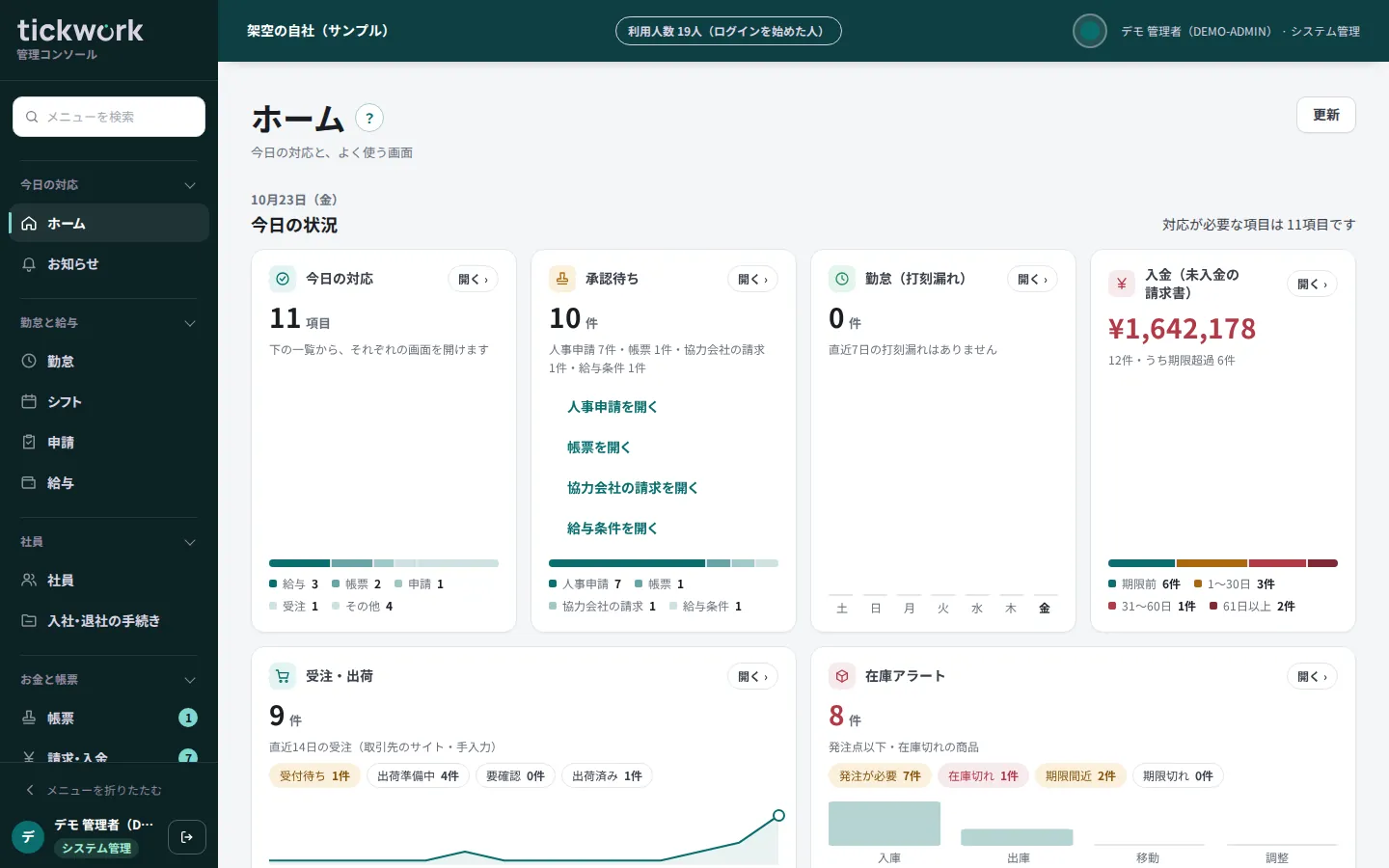
Admin console on computers and
Both use the same company data.
Admin console
- Initial setup, employee and permission registration, data migration
- "Today's tasks" and "This month's closing" on the home screen
- Work schedules, approvals and payroll
- Business document issuance, payment matching, inventory, sales orders and shipping
- Review partner companies, schedules and photo ledgers
- Review of login and operation histories
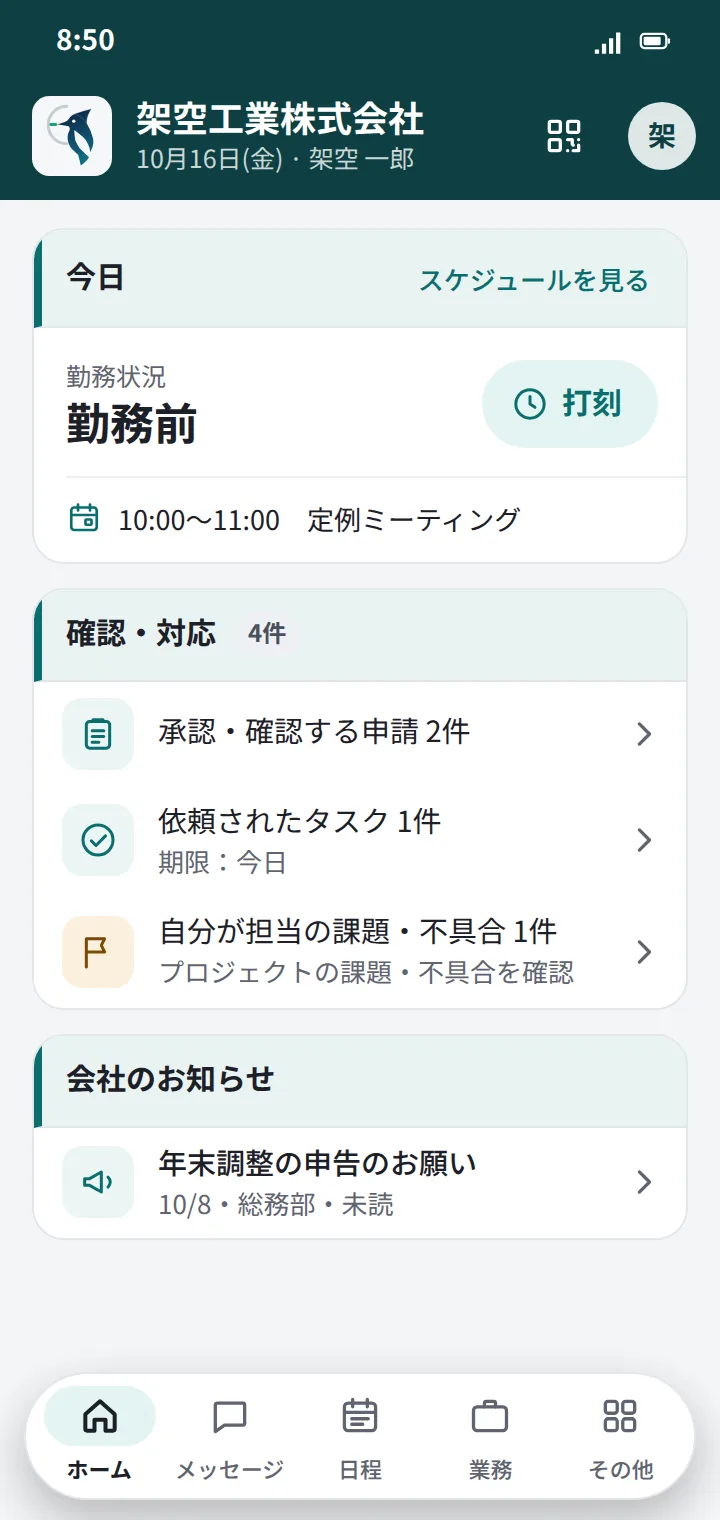
Employee app
- Clock-in, requests and daily reports
- Payslips, year-end tax adjustment declarations and required reading
- Chat, voice calls (one-to-one and group), announcements and company email
- Schedules, tasks and files
- Project schedules, site photos and inventory barcode scanning (for employees permitted by the company)
- Seven languages (日本語, English, Tiếng Việt, 中文(简体), 中文(繁體), 한국어 and नेपाली)
Supported environments
The employee app runs on smartphones, tablets and PCs;
| What to use | Supported devices | How to obtain and open |
|---|---|---|
| Employee app | iPhone and iPad | Get Tickwork on the App Store |
| Employee app | Android smartphones and tablets | Get Tickwork on Google Play |
| Employee app (web version) | Browser on a computer (Windows or Mac)Can also be used in a smartphone or tablet browser | Simply open your company address (no installation required) |
| Admin console | Browser on a computer (Windows or Mac)A screen width of 1280 px or more is recommended | Simply open your company address (no installation required) |
| Shared device (for clock-in) | Browser on a tablet with a camera (iPad or Android tablet) | Registered with a code issued in the admin console |
| Customers (customer site) | Browser on a computer, smartphone or tablet | Log in with an ID and password issued by your company |
| Partner company members | The same app and web version as employees | Sign in from "External people (clients & partner companies) start here" |
Note: Please use the latest version of a browser such as Google Chrome, Microsoft Edge or Safari. Photos with the electronic photo blackboard can be taken in the iPhone, iPad and Android apps. Notifications are delivered to the app and to browsers with notifications turned on.
Two-pane screens on tablets
On tablets, lists and details are shown side by side. To log in, just scan a QR code with the smartphone app.
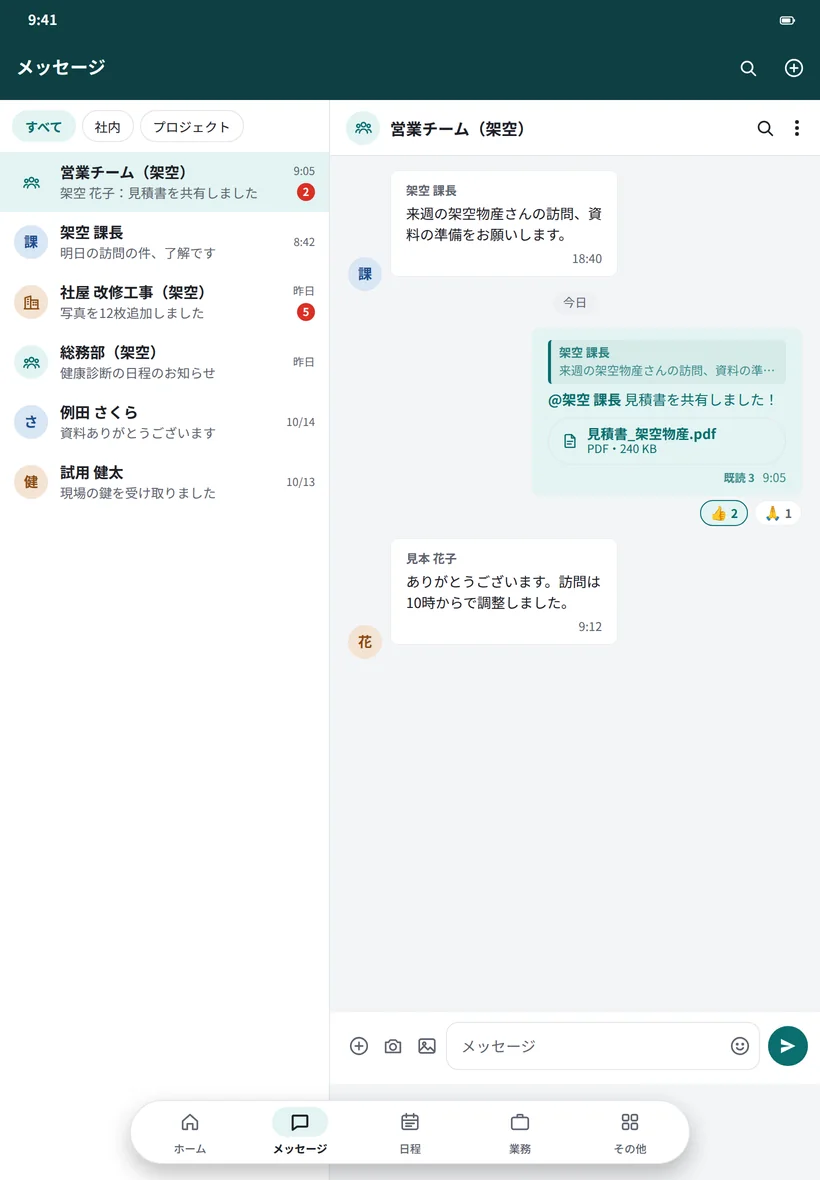
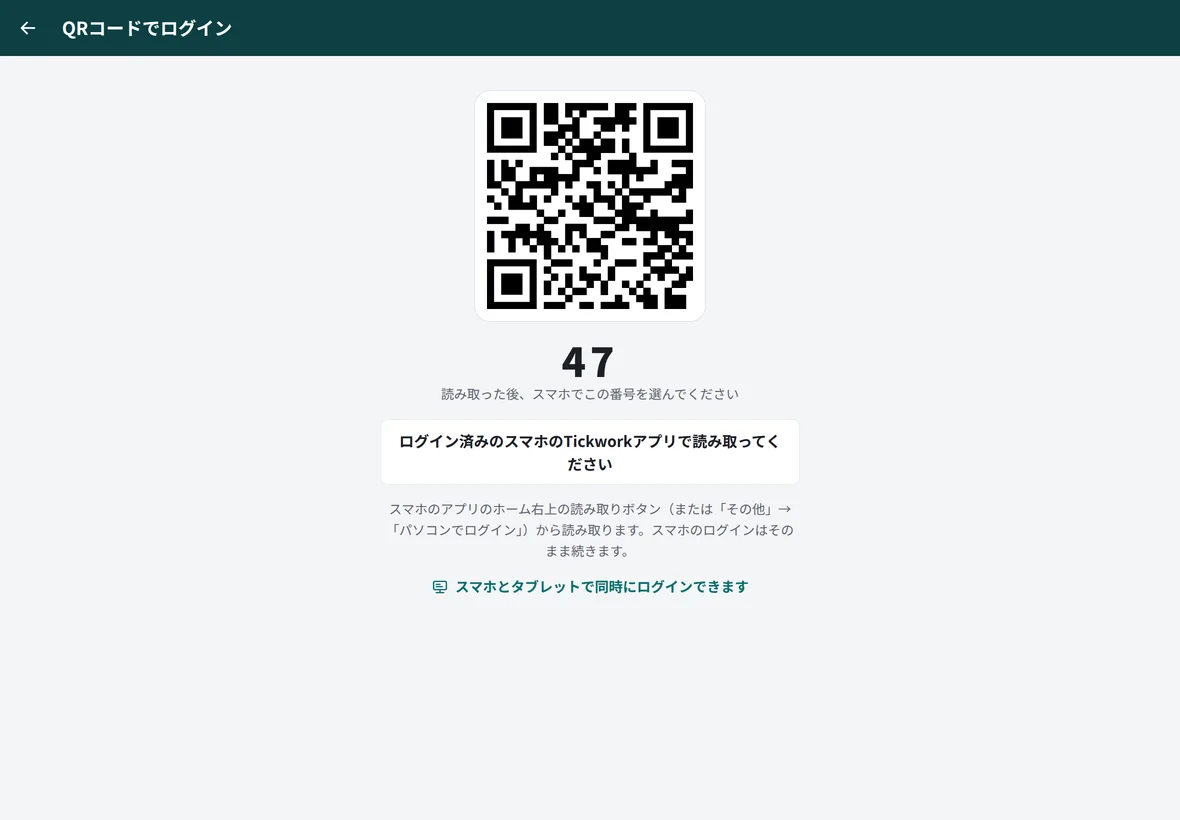
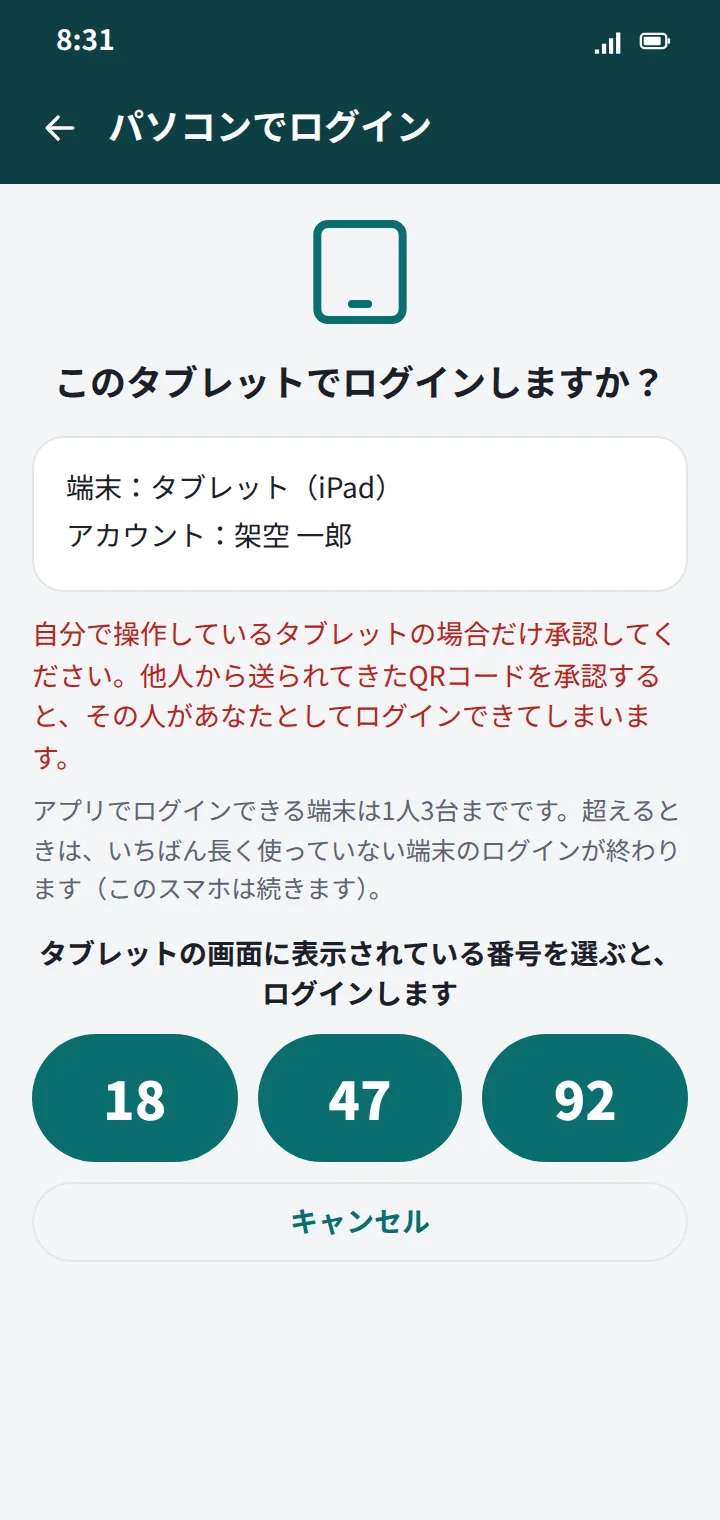
Note: Screens are for illustration purposes only (the data shown is fictional).
Please feel free to
We will ask about your number of users and the features you need, and advise you on how to proceed with implementation.
- Free 30-day trial
- No card required
If you would like to review materials first, please request materials (we will send a PDF by email).