This page is a translation of the Japanese page. Inquiries and support are handled in Japanese. The admin console is available in Japanese only; the employee app supports 日本語, English, Tiếng Việt, 中文(简体), 中文(繁體), 한국어 and नेपाली.
For staffing and contract services companies
Import timesheets through to invoicing.
From timesheets that differ by client, through calculation, confirmation, invoicing and payroll.
Ideal forStaffing and contracting companies with multiple clients
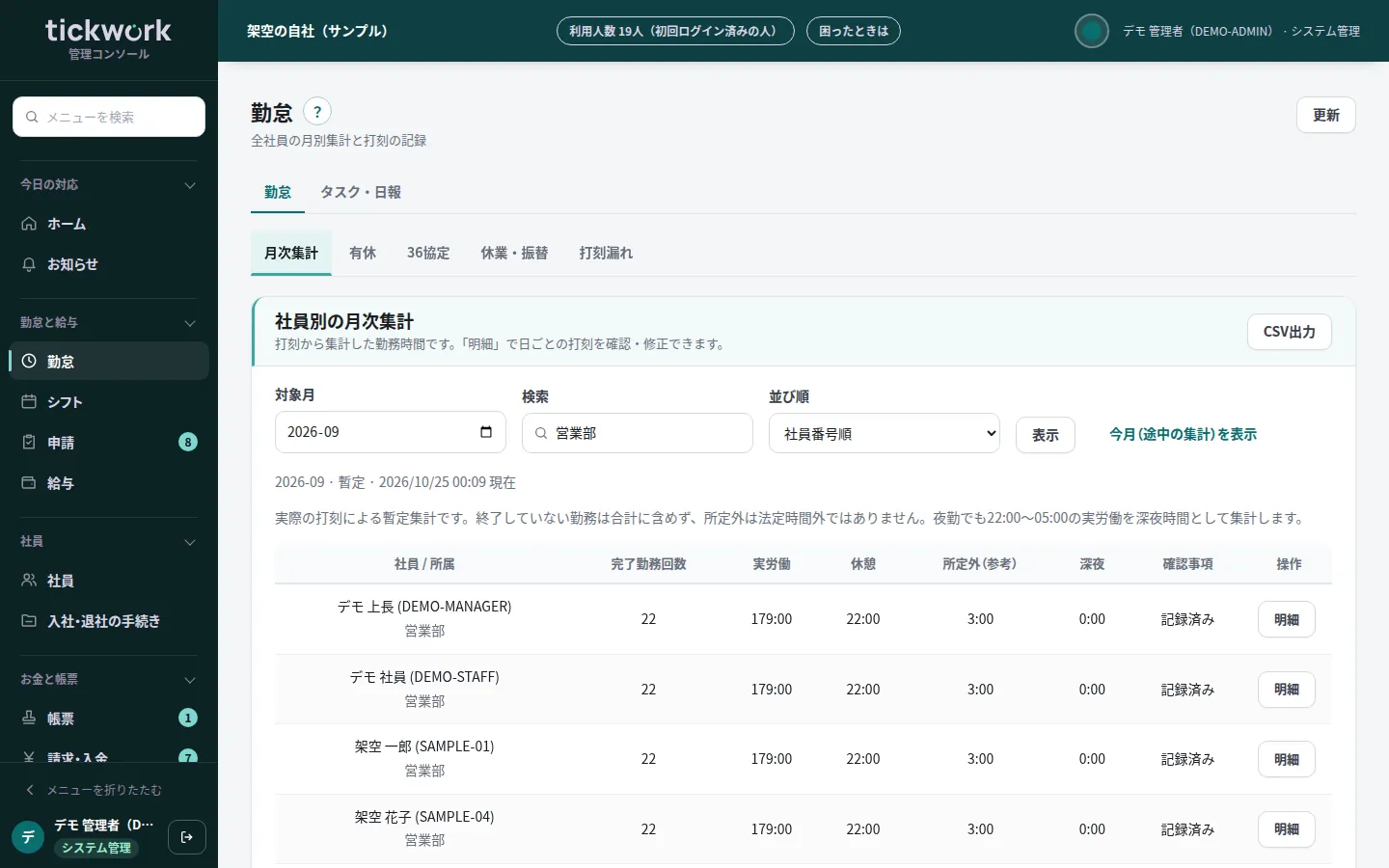
Note: Screens are for illustration purposes only (the data shown is fictional).
Eliminating effort and oversights in staffing and contracting
-
01Now
Timesheets in different formats for each client are re-entered by hand
With TickworkImports Excel and CSV as is. Columns are mapped only the first time.
Importing client site attendance: detailed description -
02Now
Rules for breaks, rounding and overtime differ by client
With TickworkSet calculation rules for each client.
Calculation for each client: detailed description -
03Now
Client confirmations and invoice preparation take time
With TickworkSends a confirmation request link and drafts the invoice.
Client confirmation and invoices: detailed description -
04Now
Dispatch period limit dates are tracked in manual spreadsheets
With TickworkClients and employees approaching the dispatch period limit date are shown at the top of the screen.
Dispatch period limit dates and figures for disclosure: detailed description
A day at a staffing and contracting company (example)
-
Start of monthAttendance staff
Import timesheets and calculate under each client's rules.
-
Start of monthAttendance staff
Check differences from totals and request confirmation from the client.
-
After confirmationAccounting
Approve draft invoices and send them to clients.
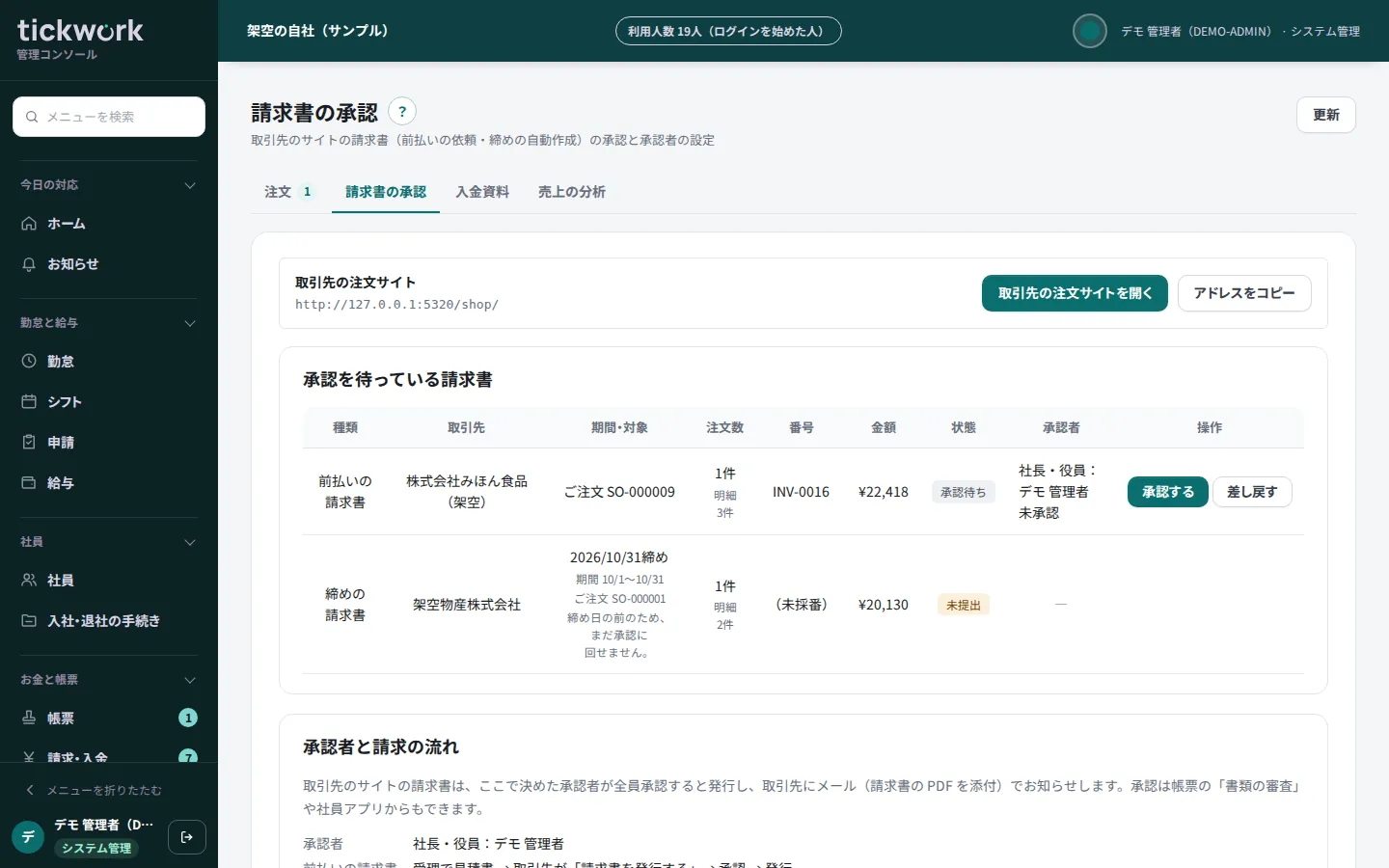
-
PaydayStaff
Check payslips in the app.
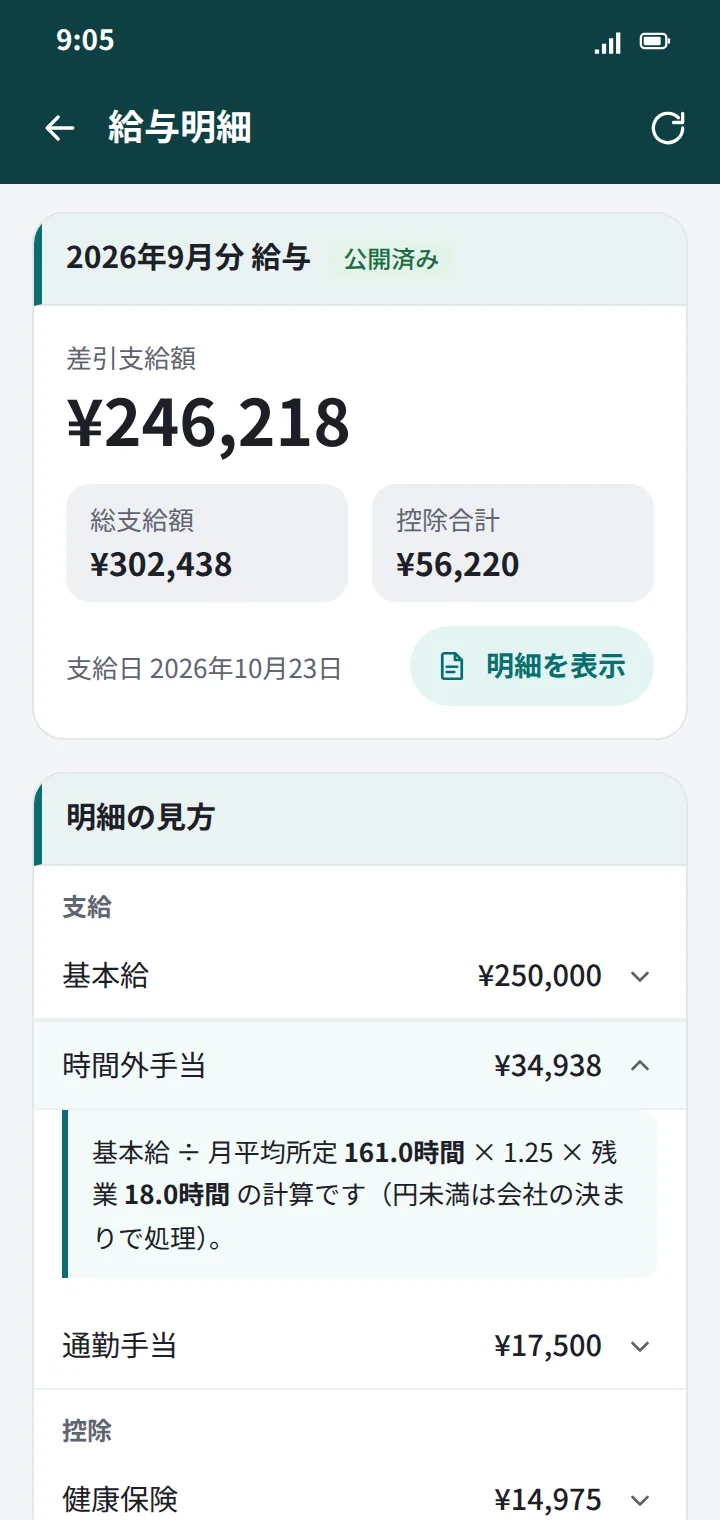
Note: Screens are for illustration purposes only (the data shown is fictional).
Combine common features
For two or more modules,
- Importing client site attendance
- Calculation rules for each client
- Client confirmation and draft invoices
- Dispatch period limit dates and reference figures for disclosure
- Clock-in on smartphones and location recording
- Employee app in seven languages
- Announcements and read confirmations
- Payroll calculation and year-end tax adjustment declarations
Industry-specific initial settings Choosing an industry fills in default values for features, business documents and work rules. About industry-specific initial settings
Pricing guide
Example: 10 in-house employees and 20 dispatched staff members, 30 users in total
Billable users are the total of registered employees (regardless of employment type, including those not yet logged in) and invited partner company members. Billable users
Frequently asked questions
Are staff who do not use the app counted as billable users?
Yes, they are included. Registered staff count toward billable users regardless of employment type, including those who do not use the app or have not yet logged in. Users whose access has been suspended are not included.
What timesheet formats can be imported?
Supports Excel and CSV tables with one person-day per row, one sheet per person, or dates across columns. Shift_JIS is detected automatically.
Do clients need to install any software?
No. Paper time cards can be entered while viewing their images.
Note: Client site attendance is displayed when set to Use under Features in use (使う機能) in the admin console (it requires the use of clock-in and attendance). Figures for disclosure and comparisons with general wage levels are for reference only. Please confirm legal judgments within your company. Please also see the usage example for a staffing and contract services company (fictional company).
Please feel free to
We will ask about your number of users and the features you need, and advise you on how to proceed with implementation.
- Free 30-day trial
- No card required
If you would like to review materials first, please request materials (we will send a PDF by email).